查看: 49|回复: 2

[教程] discuz手机版详情页,图片自动固定大小,怎么修改?

[复制链接]

4

主题

20

回帖

0

积分

热心网友

金币
20
阅读权限
220
精华
0
威望
0
贡献
0
在线时间
0 小时
注册时间
2010-6-14
发表于 2019-7-11 19:41:04 | 显示全部楼层 |阅读模式


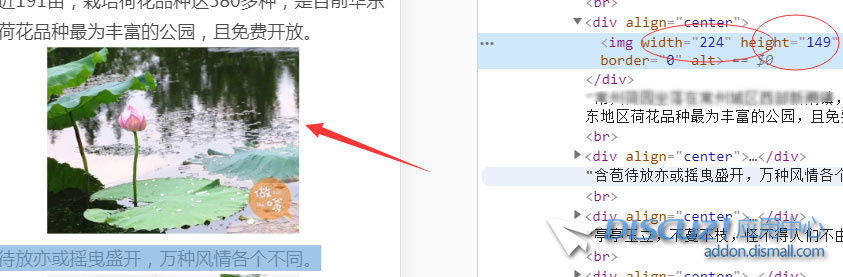
discuz手机版详情页,图片自动固定大小,怎么修改?默认不能全屏,固定了尺寸,可是我在源码里面,搜索不到这个数值。
discuz, 手机, 详情, 图片, 自动
回复

使用道具 举报

14

主题

24

回帖

0

积分

热心网友

金币
24
阅读权限
220
精华
0
威望
0
贡献
0
在线时间
0 小时
注册时间
2010-2-19
发表于 2019-7-11 20:48:04 | 显示全部楼层
触屏版图片尺寸设置,打开\template\default\touch\forum\discuzcode.htm文件,找

  1. $fix = count($post[imagelist]) == 1 ? 140 : 83;
改为
  1. $fix = count($post[imagelist]) == 1 ? 650 : 800;
也就是把140的小图改为宽650高800这样,差不多是最大屏幕的手机的实际尺寸。这里建议电脑版的图片上传时就设置最大宽度不超过700,不然加载速度会很慢。然后再找
  1. $mobilethumburl = $attach['attachimg'] && $_G['setting']['showimages'] && (!$attach['price'] || $attach['payed']) && ($_G['group']['allowgetimage'] || $_G['uid'] == $attach['uid']) ? getforumimg($attach['aid'], 0, 140, 140, 'fixnone') : '' ;
改为
  1. $mobilethumburl = $attach['attachimg'] && $_G['setting']['showimages'] && (!$attach['price'] || $attach['payed']) && ($_G['group']['allowgetimage'] || $_G['uid'] == $attach['uid']) ? getforumimg($attach['aid'], 0, 650, 800, 'fixnone') : '' ;


CSS设置,打开\static\image\mobile\style.css,找

  1. .plc .pi .message img,.plc .pi .img_one img { margin:0px 4px 0px 0; max-width:140px; max-height:140px; }

改为

  1. .plc .pi .message img,.plc .pi .img_one img {max-width:98%; display:block;vertical-align: middle;margin-bottom:4px;}

CSS也限制了高和宽,改为按屏幕尺寸的百分比来显示。为了不撑破,别搞100%了,98%就足够了。

回复

使用道具 举报

1

主题

28

回帖

0

积分

热心网友

金币
28
阅读权限
220
精华
0
威望
0
贡献
0
在线时间
0 小时
注册时间
2010-12-22
发表于 2019-7-13 10:03:11 | 显示全部楼层

赞一个!
回复

使用道具 举报

您需要登录后才可以回帖 登录 | 立即注册

本版积分规则

相关侵权、举报、投诉及建议等,请发 E-mail:qiongdian@foxmail.com

Powered by Discuz! X5.0 © 2001-2026 Discuz! Team.

在本版发帖返回顶部