function cerateWatermark(){
  //获取父元素,用于包裹水印
  let parentEl = document.getElementById("water-mark");
  //设置父元素的定位为相对定位
  parentEl.style.position = "relative";

  //创建水印元素
  const waterMarkEl = document.createElement("div");
  //水印元素不会成为鼠标事件的target
  waterMarkEl.style.pointerEvents = "none";
  //设置与父级容器的定位
  waterMarkEl.style.top = "0";
  waterMarkEl.style.left = "0";
  //设置水印元素定位 为绝对定位
  waterMarkEl.style.position = "absolute";
  waterMarkEl.style.zIndex = "99999";

  //获取父元素的宽高,水印元素与其保持一致
  const {clientWidth,clientHeight} = parentEl;
  waterMarkEl.style.width = `${clientWidth}px`;
  waterMarkEl.style.height = `${clientHeight}px`;
}
// 设置水印文本的基本配置
const defaultConfig = {
    /** 文本颜色 */
    color: "#c0c4cc",
    /** 文本透明度 */
    opacity: 0.5,
    /** 文本字体大小 */
    size: 16,
    /** 文本字体 */
    family: "serif",
    /** 文本倾斜角度 */
    angle: -20,
    /** 一处水印所占宽度(数值越大水印密度越低) */
    width: 300,
    /** 一处水印所占高度(数值越大水印密度越低) */
    height: 200,
    /** 水印文本,暂时放到这里,一般会提取出来将其作为一个全局变量*/
    backupText:"水印文本"
}

function createBase64(){
    // 解构配置
    const {color,opacity,size,family,angle,width,height,backupText} = defaultConfig;
    // 创建一个画布
    const canvasEl = document.createElement("canvas");
    //设置宽高
    canvasEl.width = width;
    canvasEl.height = height;

    //创建 context 对象,getContext("2d") 对象是内建的 HTML5 对象,
    //拥有多种绘制路径、矩形、圆形、字符以及添加图像的方法

    const ctx = canvasEl.getContext("2d");
    if(ctx){
        // 设置颜色
        ctx.fillStyle = color;
        // 设置透明度
        ctx.globalAlpha = opacity;
        //设置字体
        ctx.font = `${size}px ${family}`;
        //设置倾斜度
        ctx.rotate((Math.PI/180)\*angle);
        //设置水印文本
        ctx.fillText(backupText,0,height/2);
    }
    return canvasEl.toDataURL()
}
function cerateWatermark(){
  ...
  //设置水印元素的背景
  waterMarkEl.style.background = `url(${createBase64()}) left top repeat`;
  // 将水印元素 添加进容器
  parentEl.appendChild(waterMarkEl)
}
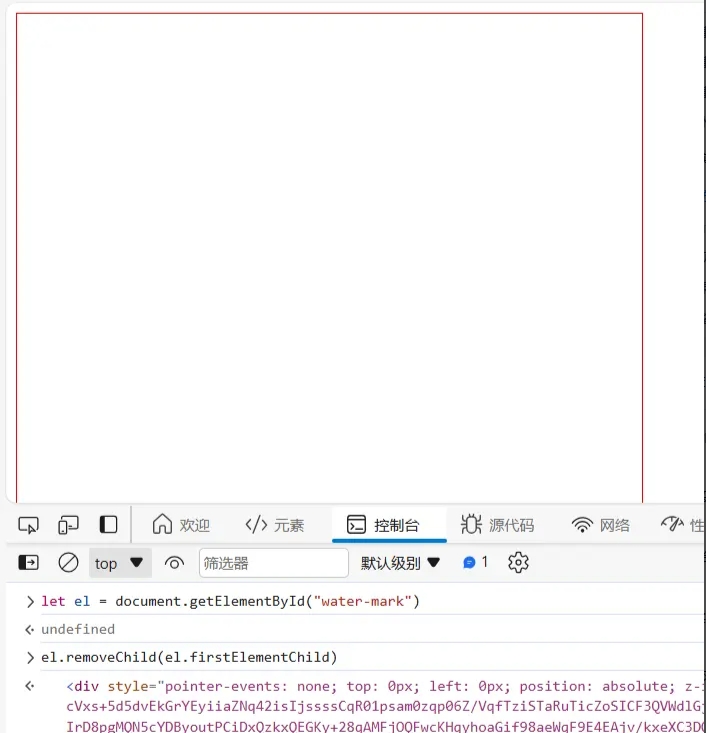
在上面的例子中,我们创建了一个div作为水印元素,并将生成的水印图片作为其背景图片,如果直接在控制台将div元素删除或隐藏,对应的水印也会消失。
(一) MutationObserver
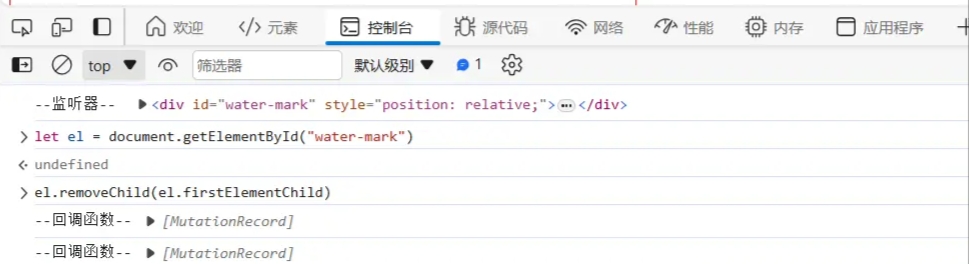
为了避免出现这种情况,可以使用MutationObserver 监听器 来监听父级容器和水印元素的变化。
MutationObserver 提供了监视对 DOM 树所做更改的能力,任何对DOM树做更改的操作都会被其监听到,因此当监听到水印元素或父级容器被删除或修改时可以在其回调函数中重新绘制。
(二) 实现过程
根据上面的思路,可以分为以下几步来完成
- 创建监听器
- 给监听器赋值并传入回调函数
- 启动监听
//将父级容器 和水印元素 提升为全局变量
let parentEl = undefined;
let waterMarkEl = undefined;

//设置监听器
const observer = {
  watermarkElMutationObserver: undefined,
  parentElMutationObserver: undefined,
}

  //创建水印
function createWatermark(){
  //获取父元素,用于包裹水印
  // let parentEl = document.getElementById("water-mark");
  parentEl = document.getElementById("water-mark");
  ...

  //创建水印元素
  // const waterMarkEl = document.createElement("div");
  waterMarkEl = document.createElement("div");
  ...

  // 监听水印元素和容器元素
  addMutationListener(parentEl);
}

// 添加监听器
function addMutationListener(targetNode){
  console.log('--监听器--',targetNode);

  const mutationCallback = (mutationList)=>{
    //水印的防御 (防止用户手动删除水印或通过css隐藏水印)
    console.log('--回调函数--',mutationList)
    mutationList.forEach(mutation => {
      switch (mutation.type) {
          case "childList":
              mutation.removedNodes.forEach((item)=>{
                  item === waterMarkEl && targetNode.appendChild(waterMarkEl);
              });
              break;
      }
    });
  }

  //创建观察器实例并传入回调
  observer.watermarkElMutationObserver = new MutationObserver(mutationCallback);
  observer.parentElMutationObserver = new MutationObserver(mutationCallback);

  //以上述配置 启动水印元素监听器,开始观察目标节点
  observer.watermarkElMutationObserver.observe(waterMarkEl,{
      // 观察目标节点属性是否变动,默认为 true
      attributes:true,
      // 观察目标子节点是否有添加或者删除,默认为 false
      childList:true,
      // 是否拓展到观察所有后代节点,默认为 false
      subtree:true
  })
  // 启动父级容器 监听器,
  observer.parentElMutationObserver.observe(targetNode,{
      attributes:true,
      childList:true,
      subtree:true
  })
}
<template>
  <div id="water-mark"></div>
</template>

<script>
import { defineComponent, ref ,onMounted} from 'vue';

export default defineComponent({
  setup() {
    //先做下水印的基本配置
    const defaultConfig = {
      color:"#c0c4cc",
      opacity: 0.5,
      size: 16,
      family: "serif",
      angle: -20,
      width: 120,
      height: 80,
      backupText:"水印文本"
    }

    // 父级容器
    let parentEl = undefined;
    let waterMarkEl = undefined;

    //设置监听器
    const observer = {
      watermarkElMutationObserver: undefined,
      parentElMutationObserver: undefined,
    }

    //创建base64图片
    function createBase64(){
      const {color,opacity,size,family,angle,width,height,backupText} = defaultConfig;
      //创建一个画布
      const canvasEl = document.createElement("canvas");
      //设置宽高
      canvasEl.width = width;
      canvasEl.height = height;
      //创建 context 对象
      // getContext("2d") 对象是内建的 HTML5 对象,拥有多种绘制路径、矩形、圆形、字符以及添加图像的方法
      const ctx = canvasEl.getContext("2d");
      if(ctx){
          // 设置颜色
          ctx.fillStyle = color;
          ctx.globalAlpha = opacity;
          ctx.font = `${size}px ${family}`;
          ctx.rotate((Math.PI/180)*angle);
          ctx.fillText(backupText,0,height/2);
      }
      return canvasEl.toDataURL()
    }
    // 添加监听器
    function addMutationListener(targetNode){
      console.log('--监听器--',targetNode);

      const mutationCallback = (mutationList)=>{
        //水印的防御 (防止用户手动删除水印或通过css隐藏水印)
        console.log('--回调函数--',mutationList)
        mutationList.forEach(mutation => {
          switch (mutation.type) {
              case "childList":
                  mutation.removedNodes.forEach((item)=>{
                      item === waterMarkEl && targetNode.appendChild(waterMarkEl);
                  });
                  break;
          }
        });
      }

      //创建观察器实例并传入回调
      observer.watermarkElMutationObserver = new MutationObserver(mutationCallback);
      observer.parentElMutationObserver = new MutationObserver(mutationCallback);

      //已上述配置开始观察目标节点
      observer.watermarkElMutationObserver.observe(waterMarkEl,{
          // 观察目标节点属性是否变动,默认为 true
          attributes:true,
          // 观察目标子节点是否有添加或者删除,默认为 false
          childList:true,
          // 是否拓展到观察所有后代节点,默认为 false
          subtree:true
      })

      observer.parentElMutationObserver.observe(targetNode,{
          attributes:true,
          childList:true,
          subtree:true
      })
    }

    //创建水印
    function createWatermark(){
      //获取父元素,用于包裹水印
      parentEl = document.getElementById("water-mark");
      //设置父元素的定位
      parentEl.style.position = "relative";

      //创建水印元素
      waterMarkEl = document.createElement("div");
      //水印元素不会成为鼠标事件的target
      waterMarkEl.style.pointerEvents = "none";
      waterMarkEl.style.top = "0";
      waterMarkEl.style.left = "0";
      waterMarkEl.style.position = "absolute";
      waterMarkEl.style.zIndex = "99999";
      //设置水印元素的宽高
      const {clientWidth,clientHeight} = parentEl;
      waterMarkEl.style.width = `${clientWidth}px`;
      waterMarkEl.style.height = `${clientHeight}px`;
      //设置水印元素的背景
      waterMarkEl.style.background = `url(${createBase64()}) left top repeat`
      // 将水印元素 添加进容器
      parentEl.appendChild(waterMarkEl);

      // 监听水印元素和容器元素
      addMutationListener(parentEl);
    }
    onMounted(()=>{
      createWatermark();
    })
    return {
      createWatermark,
    };
  },
});
</script>

<style>

#water-mark{
  width:300px;
  height:300px;
  border:1px solid red;
}
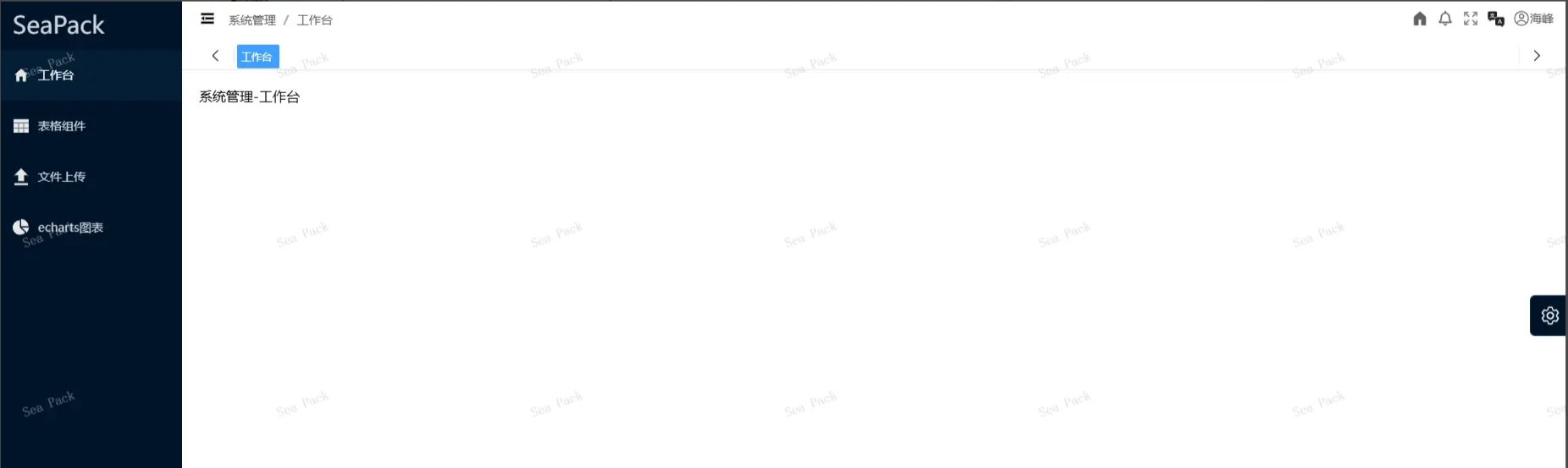
</style>



 發表於 2025-3-10 17:10:00