|
Div+css的学习,通过老师的教导,以及自己的学习,完成了实验1,主要就是html和css的知识,
源代码如下:
<style type="text/css">
*{
margin: 0;
padding: 0;
}
#div1{
background-color: yellow;
margin-top:5px;
width:100%;
height:30px;
}
#table1{
width:100%;
text-align: center;
}
img{
width:20px;
height:20px;
}
table#tou{
width:20%;
}
table#body1{
width:10%;
}
table#body2{
width:10%;
}
table#body3{
width:10%;
}
table#body3{
width:50%;
}
a:hover{
color:red;
font-size:20px;
}
#div2{
width:100%;
height:50px;
background:url(https://common.cnblogs.com/images/banner/q-bannerbar1.jpg);
-webkit-background-size: 100% 50px;
background-repeat: no-repeat;
}
#div3{
width:15%;
height:600px;
background-color: #F0F0F0;
float:left;
}
#table2{
width:200px;
height:600px;
text-align: center;
}
#div4{
width:85%;
height:600px;
float:left;
}
#yemian{
width:1200px;
height:600px;
}
</style>
<body>
<div>
<div id="div1">
<table id="table1">
<tr>
<td id="tou"><img src="wangluo.jpg" alt="博客园">博客园</td>
<td id="body1"><a href="zhuce.html" value="注册">注册</td>
<td id="body2"><a href="denglu.html" value="登录">登录</td>
<td id="body3"><a href="boke.html" value="发表博客">发表博客</td>
<td id="body4"><input type="text" placeholder="代码改变世界"></td>
</tr>
</table>
</div>
<div id="div2">
</div>
<div id="div3">
<table id="table2">
<tr><td><a href="https://www.cnblogs.com/" targrt="htmlform">博客园首页</td></tr>
<tr><td><a href="https://www.cnblogs.com/IT2002/" targrt="htmlform">宋浩伟的博客</td></tr>
</table>
</div>
<div id="div4">
<iframe src="https://www.cnblogs.com/" id="yemian" frameborder="0" name="htmlform"></iframe>
</div>
</div>
<Embed src="123.mp3" width="0" height="0" HIDDEN="TRUE" AUTOSTART="TRUE" LOOP="TRUE"></Embed>
</body>、
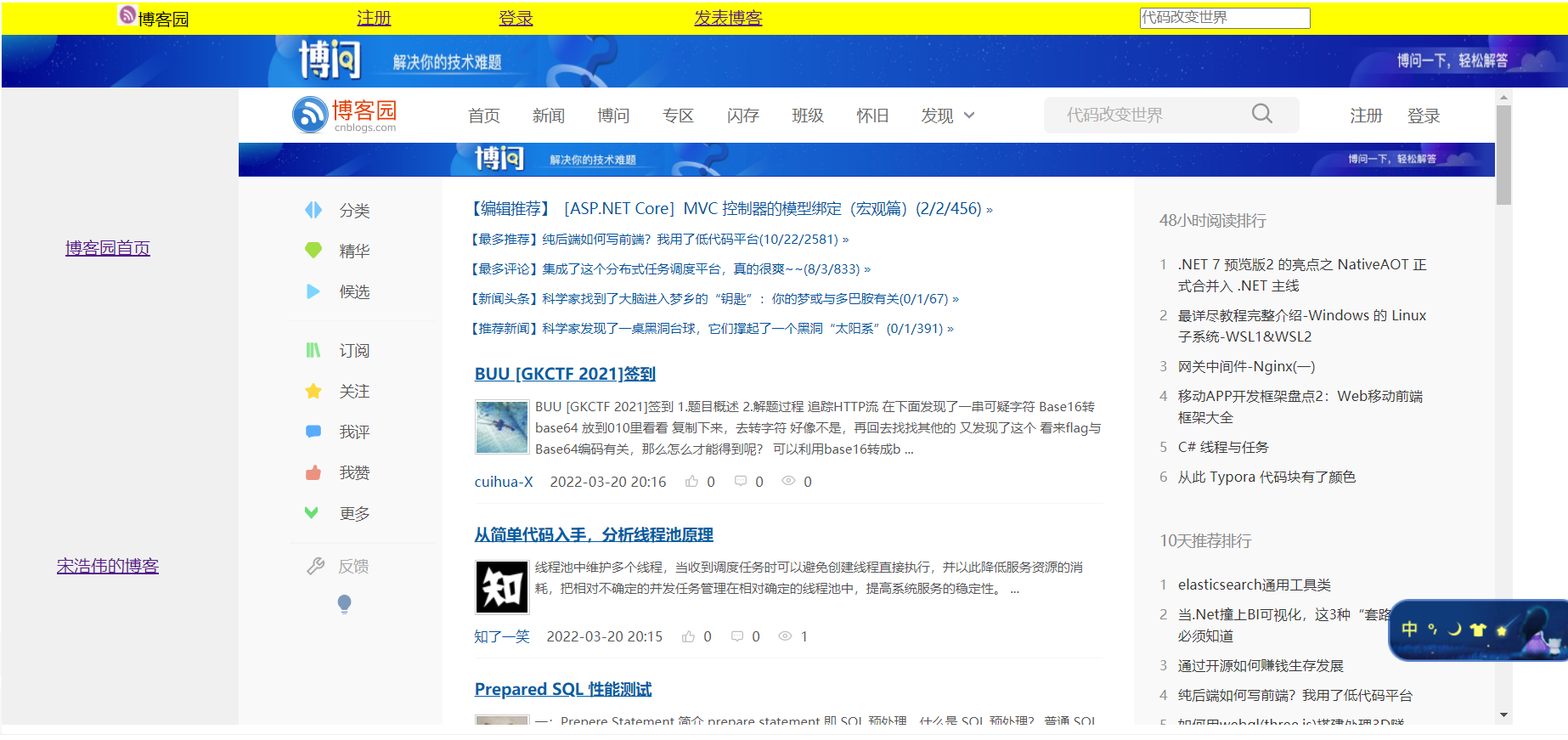
这一部分运行截图:
也是学习了一个新的知识点:
<Embed src="url"width="宽度"height="高度"AUTOSTART="TRUE│false" LOOP="TRUE"></Embed>
【注解】
<EMBED…………………起始标记
SRC="url"……………源文件名
width="450"…………播放器的宽度
height="380"…………播放器的高度
HIDDEN="TRUE"………隐藏方式(对播放声音文件有用,对播放视频无用)
AUTOSTART="TRUE"……自动播放
autostart="false"……不自动播放,点击播放按钮后才播放。
LOOP="TRUE"…………循环播放
NAME="MySound"………嵌入对象名
</EMBED>………………结束标记
来源:https://www.cnblogs.com/IT2002/p/16031411.html |



 發表於 2022-3-20 20:43:00