|
http-server的特点:
http-server is a simple, zero-configuration command-line http server. It is powerful enough for production usage, but it's simple and hackable enough to be used for testing, local development, and learning.
也正是这样,vue和node.js开发过程中都是内置了http-server,自动刷新,特别方便。
介绍日常静态文件测试开发时的使用。
1.安装
1 npm install --global http-server
全局安装后可以在cmd中查看:
1 npm view http-server
2 npm info http-server
3 // or
4 npm -v hs
http-server简写为hs
2.使用
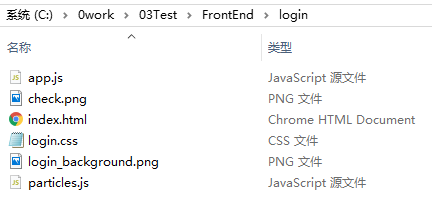
项目目录内容如下:
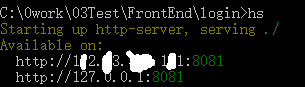
cmd进入项目目录,最简单的可以输入:hs
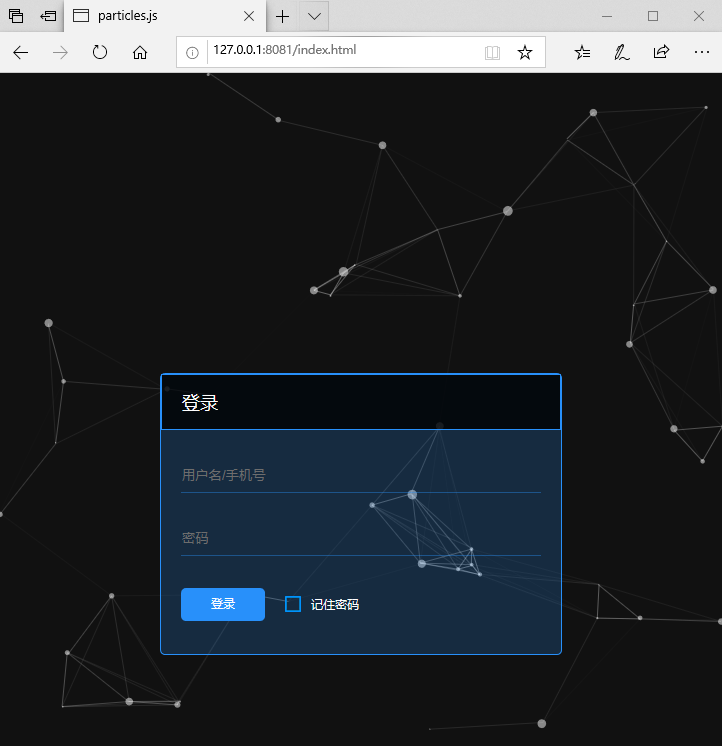
在浏览器中输入:http://127.0.0.1:8081/index.html
3.配置
步骤2中直接使用了hs(http-server)命令,当然实际的过程中可以使用很多配置,
如:hs 目录 -a 地址 -p 端口
更多配置请参考:
https://github.com/http-party/http-server
来源:https://www.cnblogs.com/jyughynj/p/12217317.html |



 發表於 2020-1-20 11:42:00