版权声明
本文来自博客园,作者:观心静 ,转载请注明原文链接:https://www.cnblogs.com/guanxinjing/p/11142590.html
本文版权归作者和博客园共有,欢迎转载,但必须给出原文链接,并保留此段声明,否则保留追究法律责任的权利。
前言
ShapeDrawable一开始我以为它是对应xml文件属性里的shape的画图,后来发现我错了... 其实ShapeDrawable更像是一共自由度更大跟偏向与实现draw()方法的一共图像绘制类.所以,它的优点就是可以有更大的自由在代码里绘制一个你想要的图形,缺点是它搞起来有点不太方便,对于只需要简单的图形还不如GradientDrawable方便.
ShapeDrawable是靠new一个继承Shape的类,来实现方便你的绘制的(其实底层原理就是View的draw()那套东西).我们可以查到一共有多少个shape,看如下图片:
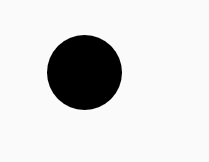
画圆形 OvalShape
        ShapeDrawable shapeDrawable = new ShapeDrawable(new OvalShape());
        shapeDrawable.getPaint().setColor(Color.BLACK);
        Rect rect = new Rect();
        rect.top = 0;
        rect.left = 0;
        rect.bottom = 50;
        rect.right = 50;
        shapeDrawable.setBounds(rect);
        mTextView.setBackground(shapeDrawable);
效果图:
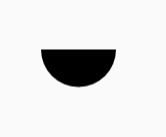
画半圆 ArcShape
        ShapeDrawable shapeDrawable = new ShapeDrawable(new ArcShape(0,180));//ArcShape参数 开始角度startAngle 要画多少角度sweepAngle
        shapeDrawable.getPaint().setColor(Color.BLACK);
        Rect rect = new Rect();
        rect.top = 0;
        rect.left = 0;
        rect.bottom = 50;
        rect.right = 50;
        shapeDrawable.setBounds(rect);
        mTextView.setBackground(shapeDrawable);
效果图:
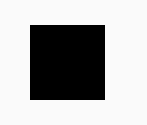
画矩形 RectShape
        ShapeDrawable shapeDrawable = new ShapeDrawable(new RectShape());
        shapeDrawable.getPaint().setColor(Color.BLACK);
        Rect rect = new Rect();
        rect.top = 0;
        rect.left = 0;
        rect.bottom = 50;
        rect.right = 50;
        shapeDrawable.setBounds(rect);
        mTextView.setBackground(shapeDrawable);
效果图:
画内外双层矩形,并且有圆角 RoundRectShape
        float[] externalRound = {8, 8, 8, 8, 8, 8, 8, 8};//外部矩形的8个圆角半径,为什么是8个? 因为这个居然是一个角2个半圆组成的(太精细了...)
        RectF distanceRectF = new RectF(10, 10, 10, 10); //内部矩形与外部矩形的距离
        float[] insideRound = {10, 10, 10, 10, 10, 10, 10, 10}; //内部矩形的8个圆角半径值
        ShapeDrawable shapeDrawable = new ShapeDrawable(new RoundRectShape(externalRound, distanceRectF, insideRound));
        shapeDrawable.getPaint().setColor(Color.BLACK);
        Rect rect = new Rect();
        rect.top = 0;
        rect.left = 0;
        rect.bottom = 50;
        rect.right = 50;
        shapeDrawable.setBounds(rect);
        mTextView.setBackground(shapeDrawable);
public RoundRectShape(@Nullable float[] outerRadii, @Nullable RectF inset, @Nullable float[] innerRadii) 这个类一共有3个参数,我在上面的注解已经说明了.
注意!这3个参数都是可以为null的.意思就是,你可以取消任意一个.获得一些其他效果,比如设置第二个和第三个参数为null,你就可以得到一个实心的圆角矩形.
效果图:
画任意形状 PathShape
待续....
本文来自博客园,作者:观心静 ,转载请注明原文链接:https://www.cnblogs.com/guanxinjing/p/11142590.html
本文版权归作者和博客园共有,欢迎转载,但必须给出原文链接,并保留此段声明,否则保留追究法律责任的权利。
来源:https://www.cnblogs.com/guanxinjing/p/11142590.html |



 發表於 2019-7-6 14:18:00