|
给 Debian 增加了 ipv6 之后,service networking restart 失败,网卡丢失。
nano /etc/network/interfaces

iface ens18 inet6 static
   address 2a10:cc40:233:136::1
   netmask 64
   gateway 2a10:cc40:233::1
#   gateway 	fe80::1
重启网卡后网卡丢失
root@vps-2299:/etc/network# service networking restart
Job for networking.service failed because the control brocess exited with error code.
See "systemctl status networking.service" and "journalctl -xer for details
root@vps- 2299:/etc/network#
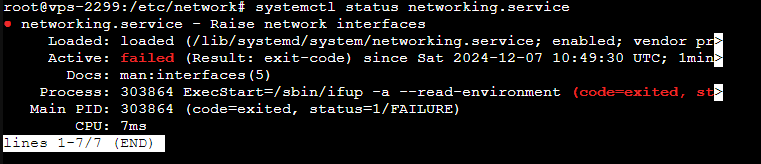
根据提示 执行 systemctl status networking.service
root@vps-2299:/etc/network# systemctl status networking.service
  networking. service - Raise network interfaces
     Loaded: loaded (/lib/systemd/system/networking.service; enabled; vendor pr>
     Active: failed (Result: exit-code) since sat 2024-12-07 10:49:30 UTC; 1min>
       Docs: man:interfaces(5)
    Process: 303864 ExecStart=/sbin/ifup -a --read-environment (code=exited, st>
   Main PID: 303864 (code=exited, status=1/FAILURE)
        CPU: 7ms
lines 1-7/7 (END)
然后 查看 nano /lib/systemd/system/networking.service ,发现这纯属浪费时间
将 TimeoutStartSec=5min 改为 TimeoutStartSec=5s
systemctl daemon-reload
systemctl enable networking.service
最后 ifup -a ,才发现是 /etc/iptables.up.rules 丢失,导致网络无法重启
root@vps-2299:/etc/network# ifup -a
/etc/network/if-pre-up.d/iptables: line 2: /etc/iptables.up.rules: No such file or directory
run-parts: /etc/network/if-pre-up.d/iptables exited with retuan code 1
ifup: pre-up script failed
root@vps-2299:/etc/network#
touch /etc/iptables.up.rules
之后,重启网卡成功
来源:https://www.cnblogs.com/yisuo/p/18592597 |



 發表於 2024-12-7 19:48:00