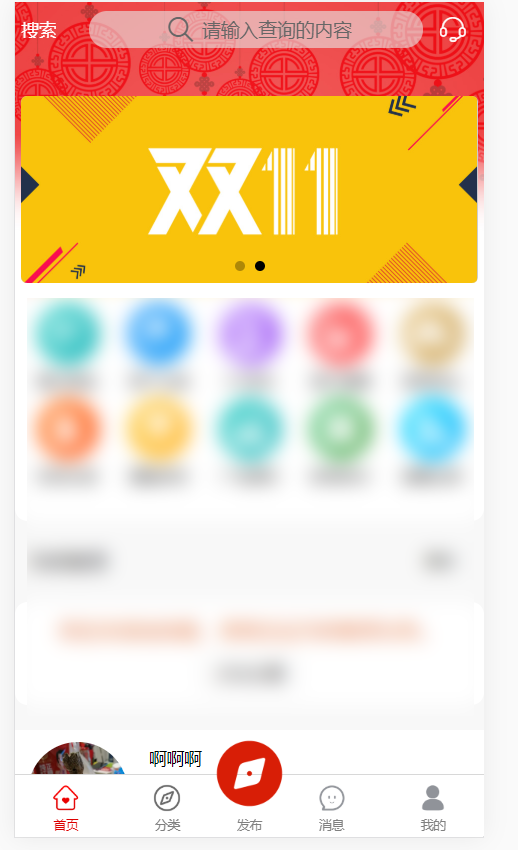
midButton没有pagePath,需监听点击事件,自行处理点击后的行为逻辑。监听点击事件为调用API:uni.onTabBarMidButtonTap,详见https://uniapp.dcloud.io/api/ui/tabbar?id=ontabbarmidbuttontap
"tabBar": {
        "color": "#808080",
        "selectedColor": "#dd0000",
        "backgroundColor": "#ffffff",
        //中间件  2~4生效
        "midButton":{
                "iconPath":"static/tab-find-current.png",
                "height":"80px",
                "iconWidth":"60px",
                "text":"发布"
            },
        "list": [{
                "text": "首页",
                "iconPath": "static/tab-home.png",
                "selectedIconPath": "static/tab-home-current.png",
                "pagePath": "pages/index/index"
            },
            {
                "text": "分类",
                "iconPath": "static/tab-find.png",
                "selectedIconPath": "static/tab-find-current.png",
                "pagePath": "pages/category/category"
            },

            {
                "text": "消息",
                "iconPath": "static/tab-msg.png",
                "selectedIconPath": "static/tab-msg-current.png",
                "pagePath": "pages/message/message"

            },
            {
                "text": "我的",
                "iconPath": "static/tab-me.png",
                "selectedIconPath": "static/tab-me-current.png",
                "pagePath": "pages/me/me"
            }
        ]
    }
uni.onTabBarMidButtonTap(()=>{
        console.log("点击了");

        });



 發表於 2021-1-31 16:14:00