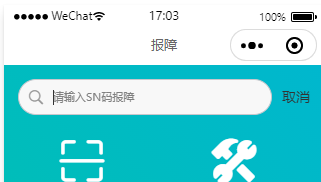
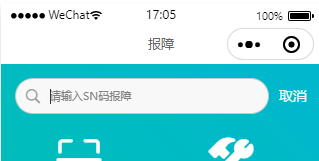
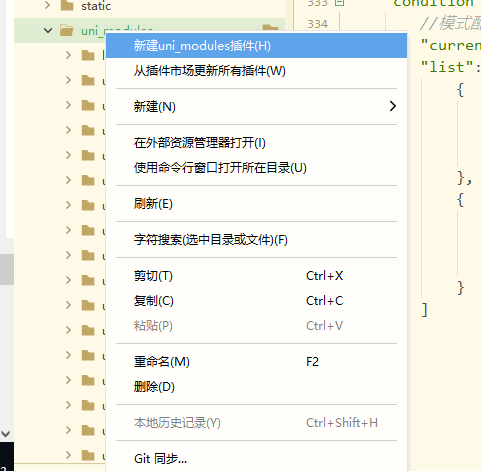
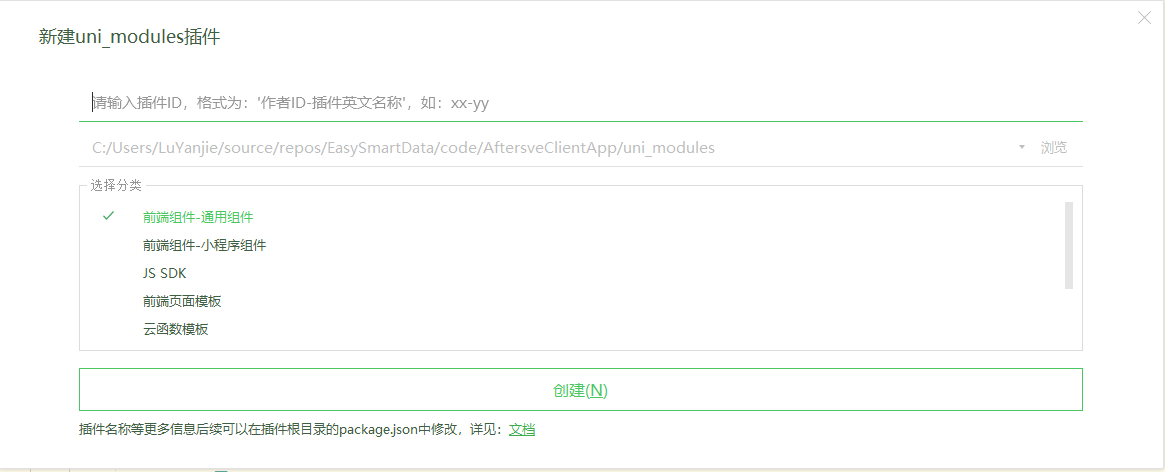
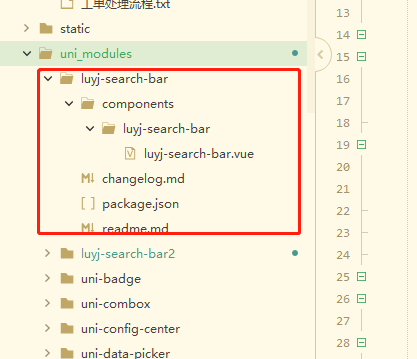
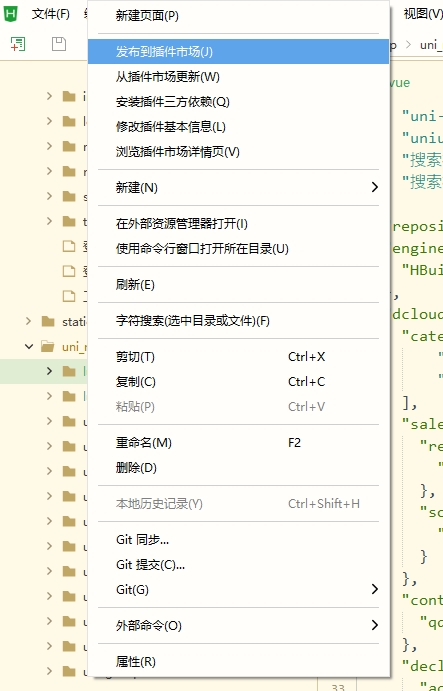
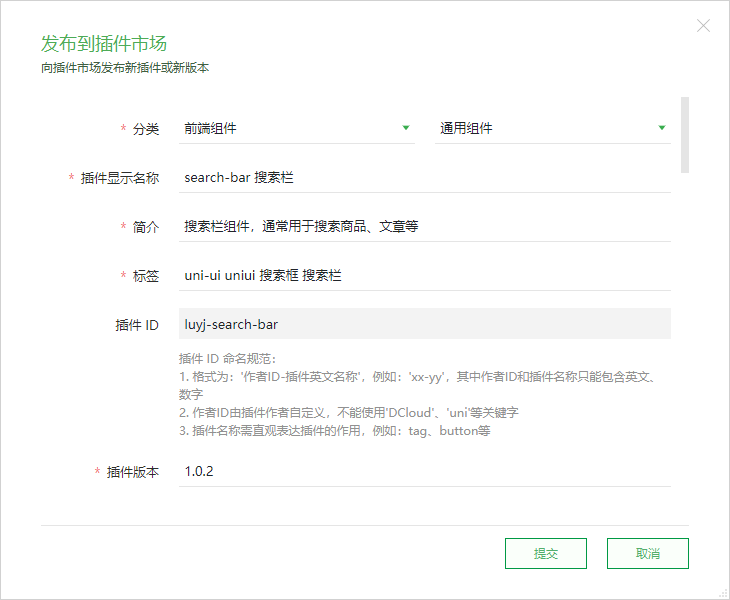
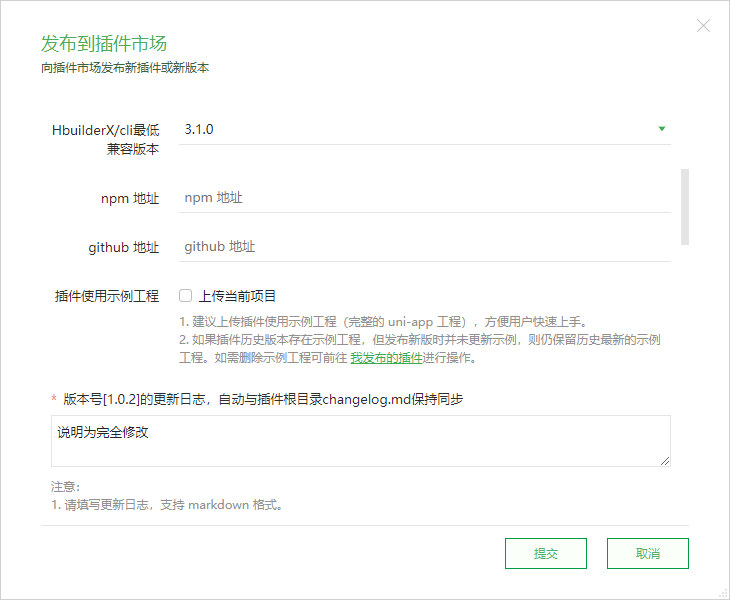
1 <template>
  2     <view class="uni-searchbar">
  3         <view :style="{borderRadius:radius+'px',backgroundColor: bgColor}" class="uni-searchbar__box" @click="searchClick">
  4             <view class="uni-searchbar__box-icon-search">
  5                 <slot name="searchIcon">
  6                     <uni-icons color="#999999" size="18" type="search" />
  7                 </slot>
  8             </view>
  9             <input v-if="show || searchVal" :focus="showSync" :placeholder="placeholder" :maxlength="maxlength" class="uni-searchbar__box-search-input"
 10              confirm-type="search" type="text" v-model="searchVal" @confirm="confirm" @blur="blur" @focus="emitFocus" />
 11             <text v-else class="uni-searchbar__text-placeholder">{{ placeholder }}</text>
 12             <view v-if="show && (clearButton==='always'||clearButton==='auto'&&searchVal!=='')" class="uni-searchbar__box-icon-clear"
 13              @click="clear">
 14                 <slot name="clearIcon">
 15                     <uni-icons color="#c0c4cc" size="15" type="clear" />
 16                 </slot>
 17             </view>
 18         </view>
 19         <text @click="cancel" class="uni-searchbar__cancel" v-if="cancelButton ==='always' || show && cancelButton ==='auto'"
 20          :style="{color: cancelColor}">{{cancelText}}</text>
 21     </view>
 22 </template>
 23
 24 <script>
 25     /**
 26      * SearchBar 搜索栏
 27      * @description 搜索栏组件,通常用于搜索商品、文章等
 28      * @tutorial https://ext.dcloud.net.cn/plugin?id=5617
 29      * @property {Number} radius 搜索栏圆角
 30      * @property {Number} maxlength 输入最大长度
 31      * @property {String} placeholder 搜索栏Placeholder
 32      * @property {String} clearButton = [always|auto|none] 是否显示清除按钮
 33      *     @value always 一直显示
 34      *     @value auto 输入框不为空时显示
 35      *     @value none 一直不显示
 36      * @property {String} cancelButton = [always|auto|none] 是否显示取消按钮
 37      *     @value always 一直显示
 38      *     @value auto 输入框不为空时显示
 39      *     @value none 一直不显示
 40      * @property {String} cancelText 取消按钮的文字
 41      * @property {String} cancelColor 取消按钮的颜色
 42      * @property {String} bgColor 输入框背景颜色
 43      * @property {Boolean} focus 是否自动聚焦
 44      * @event {Function} confirm uniSearchBar 的输入框 confirm 事件,返回参数为uniSearchBar的value,e={value:Number}
 45      * @event {Function} input uniSearchBar 的 value 改变时触发事件,返回参数为uniSearchBar的value,e=value
 46      * @event {Function} cancel 点击取消按钮时触发事件,返回参数为uniSearchBar的value,e={value:Number}
 47      * @event {Function} clear 点击清除按钮时触发事件,返回参数为uniSearchBar的value,e={value:Number}
 48      * @event {Function} blur input失去焦点时触发事件,返回参数为uniSearchBar的value,e={value:Number}
 49      */
 50
 51     export default {
 52         name: "LuyjSearchBar",
 53         props: {
 54             placeholder: {
 55                 type: String,
 56                 default: "请输入搜索内容"
 57             },
 58             radius: {
 59                 type: [Number, String],
 60                 default: 5
 61             },
 62             clearButton: {
 63                 type: String,
 64                 default: "auto"
 65             },
 66             cancelButton: {
 67                 type: String,
 68                 default: "auto"
 69             },
 70             cancelText: {
 71                 type: String,
 72                 default: '取消'
 73             },
 74             // 取消按钮的颜色
 75             cancelColor: {
 76                 type: String,
 77                 default: "#333333"
 78             },
 79             bgColor: {
 80                 type: String,
 81                 default: "#F8F8F8"
 82             },
 83             maxlength: {
 84                 type: [Number, String],
 85                 default: 100
 86             },
 87             value: {
 88                 type: [Number, String],
 89                 default: ""
 90             },
 91             focus: {
 92                 type: Boolean,
 93                 default: false
 94             }
 95         },
 96         data() {
 97             return {
 98                 show: false,
 99                 showSync: false,
100                 searchVal: ''
101             }
102         },
103         watch: {
104             value: {
105                 immediate: true,
106                 handler(newVal) {
107                     this.searchVal = newVal
108                     if (newVal) {
109                         this.show = true
110                     }
111                 }
112             },
113             focus: {
114                 immediate: true,
115                 handler(newVal) {
116                     if (newVal) {
117                         this.show = true;
118                         this.$nextTick(() => {
119                             this.showSync = true
120                         })
121                     }
122                 }
123             },
124             searchVal(newVal, oldVal) {
125                 this.$emit("input", newVal)
126             }
127         },
128         methods: {
129             searchClick() {
130                 if (this.show) {
131                     return
132                 }
133                 this.show = true;
134                 this.$nextTick(() => {
135                     this.showSync = true
136                 })
137             },
138             clear() {
139                 this.$emit("clear", {
140                     value: this.searchVal
141                 })
142                 this.searchVal = ""
143             },
144             cancel() {
145                 this.$emit("cancel", {
146                     value: this.searchVal
147                 });
148                 this.searchVal = ""
149                 this.show = false
150                 this.showSync = false
151                 // #ifndef APP-PLUS
152                 uni.hideKeyboard()
153                 // #endif
154                 // #ifdef APP-PLUS
155                 plus.key.hideSoftKeybord()
156                 // #endif
157             },
158             confirm() {
159                 // #ifndef APP-PLUS
160                 uni.hideKeyboard();
161                 // #endif
162                 // #ifdef APP-PLUS
163                 plus.key.hideSoftKeybord()
164                 // #endif
165                 this.$emit("confirm", {
166                     value: this.searchVal
167                 })
168             },
169             blur() {
170                 // #ifndef APP-PLUS
171                 uni.hideKeyboard();
172                 // #endif
173                 // #ifdef APP-PLUS
174                 plus.key.hideSoftKeybord()
175                 // #endif
176                 this.$emit("blur", {
177                     value: this.searchVal
178                 })
179             },
180             emitFocus(e) {
181                 this.$emit("focus", e.detail)
182             }
183         }
184     };
185 </script>
186
187 <style lang="scss" scoped>
188     $uni-searchbar-height: 36px;
189
190     .uni-searchbar {
191         /* #ifndef APP-NVUE */
192         display: flex;
193         /* #endif */
194         flex-direction: row;
195         position: relative;
196         padding: $uni-spacing-col-base;
197         // background-color: $uni-bg-color;
198     }
199
200     .uni-searchbar__box {
201         /* #ifndef APP-NVUE */
202         display: flex;
203         box-sizing: border-box;
204         /* #endif */
205         overflow: hidden;
206         position: relative;
207         flex: 1;
208         justify-content: center;
209         flex-direction: row;
210         align-items: center;
211         height: $uni-searchbar-height;
212         padding: 5px 8px 5px 0px;
213         border-width: 0.5px;
214         border-style: solid;
215         border-color: $uni-border-color;
216     }
217
218     .uni-searchbar__box-icon-search {
219         /* #ifndef APP-NVUE */
220         display: flex;
221         /* #endif */
222         flex-direction: row;
223         // width: 32px;
224         padding: 0 8px;
225         justify-content: center;
226         align-items: center;
227         color: $uni-text-color-placeholder;
228     }
229
230     .uni-searchbar__box-search-input {
231         flex: 1;
232         font-size: $uni-font-size-base;
233         color: $uni-text-color;
234     }
235
236     .uni-searchbar__box-icon-clear {
237         align-items: center;
238         line-height: 24px;
239         padding-left: 8px;
240         /* #ifdef H5 */
241         cursor: pointer;
242         /* #endif */
243     }
244
245     .uni-searchbar__text-placeholder {
246         font-size: $uni-font-size-base;
247         color: $uni-text-color-placeholder;
248         margin-left: 5px;
249     }
250
251     .uni-searchbar__cancel {
252         padding-left: 10px;
253         line-height: $uni-searchbar-height;
254         font-size: 14px;
255         color: $uni-text-color;
256         /* #ifdef H5 */
257         cursor: pointer;
258         /* #endif */
259     }
260 </style>



 發表於 2021-7-13 18:42:00