操作系统: CentOS 7
数据库: PostgreSQL 12
一、yum安装postgresql12
1、安装存储库rpm包
yum install https://download.postgresql.org/pub/repos/yum/reporpms/EL-7-x86_64/pgdg-redhat-repo-latest.noarch.rpm
2、安装客户端软件包
3、安装服务端软件包(可选)
yum install postgresql12-server
4、初始化数据库并启用自动启动
/usr/pgsql-12/bin/postgresql-12-setup initdb
systemctl enable postgresql-12
systemctl start postgresql-12
5、配置防火墙
firewall-cmd --permanent --add-port=5432/tcp
firewall-cmd --permanent --add-port=80/tcp
firewall-cmd --reload
6、修改用户密码
#切换用户,执行后提示符会变为 '-bash-4.2$'
   su - postgres
#登录数据库,执行后提示符变为 'postgres=#'
   psql -U postgres
#设置postgres用户密码为postgres
   ALTER USER postgres WITH PASSWORD 'postgres'
# 退出数据库
    \q
7、开启远程访问
vi /var/lib/pgsql/12/data/postgresql.conf

修改#listen_addresses = 'localhost'  为  listen_addresses='*'
当然,此处‘*’也可以改为任何你想开放的服务器IP
8、信任远程连接
vi /var/lib/pgsql/12/data/pg_hba.conf

修改如下内容,信任指定服务器连接
# IPv4 local connections:
host    all            all      127.0.0.1/32      trust
host    all            all      192.168.1.1/32(需要连接的服务器IP)  trust
9、操作
安装后的数据库data目录
客户端程序目录
启动数据库
./pg_ctl -D /var/lib/pgsql/12/data start 或者 systemctl start postgresql-12
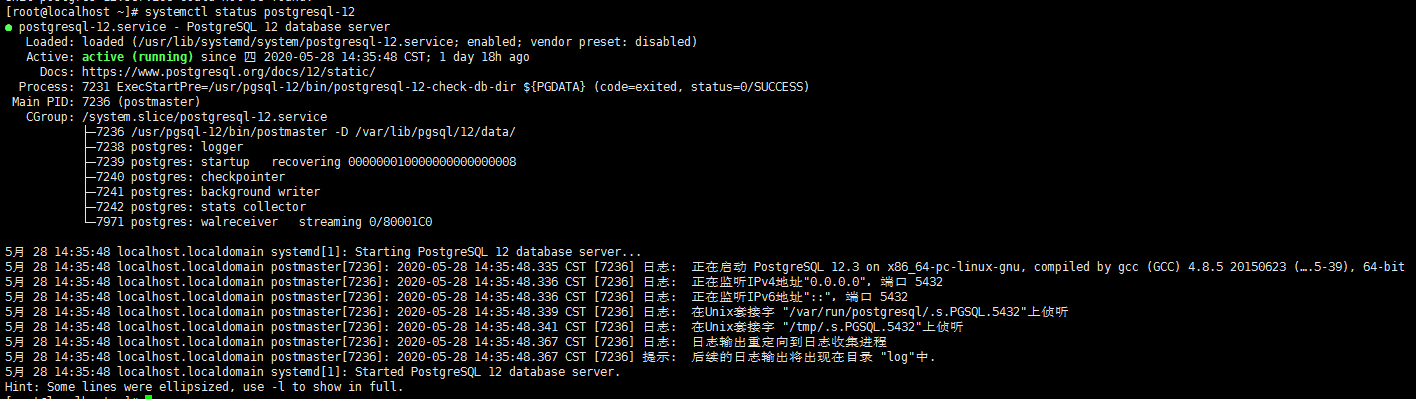
查看服务是否启动
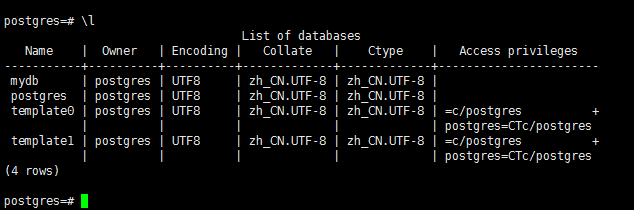
操作连接数据库
./psql -Upostgres -dpostgres
来源:https://www.cnblogs.com/VicLiu/p/12990940.html |



 發表於 2020-5-30 09:36:00