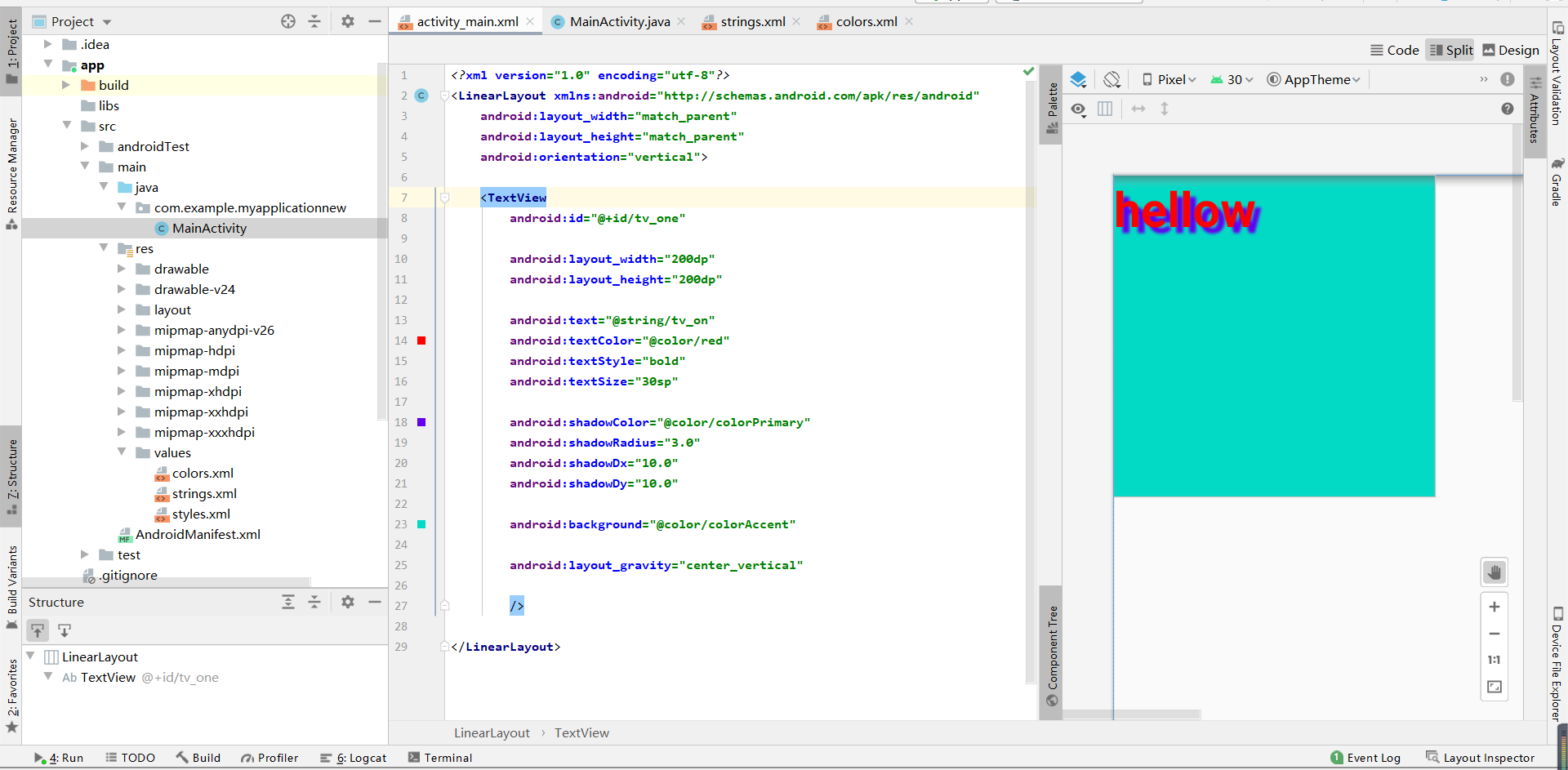
|
开发工具:Android Studio
TestView(线性布局)
1、基本属性:
layout_width:组件宽度(单位dp)
layout_height:组件高度
id:组件id
text:文本内容
textColor:字体颜色
textStyle:字体风格,normal(无效果)、bold(加粗)、itallc(斜体)
textSize:字体大小(单位sp,为了不同手机的适配)
background:背景
gravity:内容的对其方向,TextView中是文字、ImageView中是图片等
android:shadowRadius:阴影模糊程度(0.1为字体颜色,一般建议3.0)
android:shadowColor:阴影颜色
android:shadowDx:阴影在水平方向的偏移,横坐标
android:shadowDy:阴影在竖直方向的偏移,纵坐标
code:
activity_main.xml
 1 <?xml version="1.0" encoding="utf-8"?>
 2 <LinearLayout xmlns:android="http://schemas.android.com/apk/res/android"
 3     android:layout_width="match_parent"
 4     android:layout_height="match_parent"
 5     android:orientation="vertical">
 6
 7     <TextView
 8         android:id="@+id/tv_one"
 9
10         android:layout_width="200dp"
11         android:layout_height="200dp"
12
13         android:text="@string/tv_on"
14         android:textColor="@color/red"
15         android:textStyle="bold"
16         android:textSize="30sp"
17
18         android:shadowColor="@color/colorPrimary"
19         android:shadowRadius="3.0"
20         android:shadowDx="10.0"
21         android:shadowDy="10.0"
22
23         android:background="@color/colorAccent"
24
25         android:layout_gravity="center_vertical"
26
27         />
28
29 </LinearLayout>
MainActivity.java
 1 package com.example.myapplicationnew;
 2
 3 import androidx.appcompat.app.AppCompatActivity;
 4
 5 import android.os.Bundle;
 6 import android.widget.TextView;
 7
 8 public class MainActivity extends AppCompatActivity {
 9
10     @Override
11     protected void onCreate(Bundle savedInstanceState) {
12         super.onCreate(savedInstanceState);
13         setContentView(R.layout.activity_main);
14
15         //无效
16         TextView tv_one = findViewById(R.id.tv_one);
17         tv_one.setText("world");
18     }
19 }
string.xml
1 <resources>
2     <string name="app_name">My Application New</string>
3     <string name="tv_on">hellow</string>
4 </resources>
colors.xml
1 <?xml version="1.0" encoding="utf-8"?>
2 <resources>
3     <color name="colorPrimary">#6200EE</color>
4     <color name="colorPrimaryDark">#3700B3</color>
5     <color name="colorAccent">#03DAC5</color>
6     <color name="red">#FFFF0000</color>
7 </resources>
效果
2、实现跑马灯效果的TextView
android:stringLine:内容单行显示
android:focusable:是否可以获取焦点
android:focusableInTouchMode:用于控制视图在接触模式下是否可以聚焦
android:ellipsize:在哪里可以省略文本
android:marqueeRepeatLimit:字母动画重复的次数
code
activity_main.xml
 1 <?xml version="1.0" encoding="utf-8"?>
 2 <LinearLayout xmlns:android="http://schemas.android.com/apk/res/android"
 3     android:layout_width="match_parent"
 4     android:layout_height="match_parent"
 5     android:orientation="vertical">
 6
 7     <com.example.myapplicationnew.MyTextView
 8         android:id="@+id/tv_one"
 9
10         android:layout_width="match_parent"
11         android:layout_height="200dp"
12
13         android:layout_gravity="center_vertical"
14
15         android:text="@string/tv_on"
16         android:textColor="@color/red"
17         android:textStyle="bold"
18         android:textSize="30sp"
19
20         android:shadowColor="@color/colorPrimary"
21         android:shadowRadius="3.0"
22         android:shadowDx="10.0"
23         android:shadowDy="10.0"
24
25         android:singleLine="true"
26         android:ellipsize="marquee"
27         android:marqueeRepeatLimit="marquee_forever"
28         android:focusable="true"
29         android:focusableInTouchMode="true"
30
31         android:background="@color/colorAccent">
32
33     </com.example.myapplicationnew.MyTextView>
34
35
36 </LinearLayout>
or
 1 <?xml version="1.0" encoding="utf-8"?>
 2 <LinearLayout xmlns:android="http://schemas.android.com/apk/res/android"
 3     android:layout_width="match_parent"
 4     android:layout_height="match_parent"
 5     android:orientation="vertical">
 6
 7     <TextView
 8         android:id="@+id/tv_one"
 9
10         android:layout_width="match_parent"
11         android:layout_height="200dp"
12
13         android:layout_gravity="center_vertical"
14
15         android:text="@string/tv_on"
16         android:textColor="@color/red"
17         android:textStyle="bold"
18         android:textSize="30sp"
19
20         android:shadowColor="@color/colorPrimary"
21         android:shadowRadius="3.0"
22         android:shadowDx="10.0"
23         android:shadowDy="10.0"
24
25         android:singleLine="true"
26         android:ellipsize="marquee"
27         android:marqueeRepeatLimit="marquee_forever"
28         android:focusable="true"
29         android:focusableInTouchMode="true"
30
31         android:background="@color/colorAccent">
32
33         <requestFocus/>
34
35 </TextView>
36
37
38 </LinearLayout>
MainActivity.java
 1 package com.example.myapplicationnew;
 2
 3 import androidx.appcompat.app.AppCompatActivity;
 4
 5 import android.os.Bundle;
 6 import android.widget.TextView;
 7
 8 public class MainActivity extends AppCompatActivity {
 9
10     @Override
11     protected void onCreate(Bundle savedInstanceState) {
12         super.onCreate(savedInstanceState);
13         setContentView(R.layout.activity_main);
14
15         //TextView tv_one = findViewById(R.id.tv_one);
16         //tv_one.setText("world");
17     }
18 }
MyTextView.java
 1 package com.example.myapplicationnew;
 2
 3 import android.content.Context;
 4 import android.util.AttributeSet;
 5 import android.widget.TextView;
 6
 7 import androidx.annotation.Nullable;
 8
 9 //创建MyTextView,继承TextView,目的是获取焦点
10 public class MyTextView extends androidx.appcompat.widget.AppCompatTextView {
11     public MyTextView(Context context) {
12         super(context);
13     }
14
15     public MyTextView(Context context, @Nullable AttributeSet attrs) {
16         super(context, attrs);
17     }
18
19     public MyTextView(Context context, @Nullable AttributeSet attrs, int defStyleAttr) {
20         super(context, attrs, defStyleAttr);
21     }
22
23     @Override
24     //获取焦点
25     public boolean isFocused() {
26         return true;
27     }
28 }
string.xml
1 <resources>
2     <string name="app_name">My Application New</string>
3     <string name="tv_on">01 Good evening! Good evening! Good evening! Good evening!</string>
4 </resources>
activity_main.xml再加入允许点击,点一下才开始跑马灯
1 android:clickable="true"
效果
2、button
基本属性
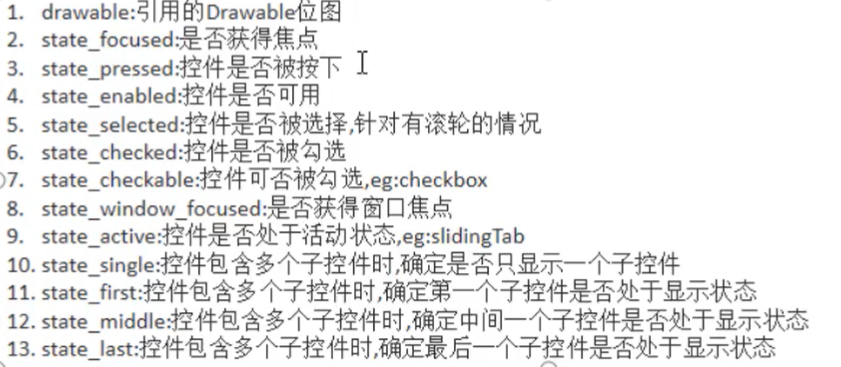
drawable:引用的Drawable位图
state_focused:是否获得焦点
state_pressed:控件是否被按下
state_enabled:控件是否可用
state_selected:控件是否被选则,针对有滚轮的情况
state_checked:控件是否被勾选
state_checkable:控件可否被勾选,eg:checkbox
state_window_focused:是否获得窗口焦点
state_active:控件是否处于活动状态,eg:slidingTab
state_single:控件包含多个子控件时,确定是否只显示一个控件
state_first:控件包含多个子控件时,确定第一个子控件是否处于显示状态
state_middle:控件包含多个子控件时,确定中间一个子控件是否处于显示状态
state_last:控件包含多个子控件时,确定最后一个子控件是否处于显示状态
来源:https://www.cnblogs.com/0xiaoyu/p/14686883.html |



 發表於 2021-4-21 20:52:00