|
本文来自博客园,作者:观心静 ,转载请注明原文链接:https://www.cnblogs.com/guanxinjing/p/17603252.html
本文版权归作者和博客园共有,欢迎转载,但必须给出原文链接,并保留此段声明,否则保留追究法律责任的权利。
前言
此篇博客讲解 Jetpack Compose Shape的使用,此篇博客配合Android开发 Jetpack_Compose_4 Modifier修饰符 一起看效果更佳。
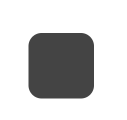
圆角形状
RoundedCornerShape
效果图
代码
@Composable
fun APage() {
    Column(
        Modifier.fillMaxSize(), horizontalAlignment = Alignment.CenterHorizontally, verticalArrangement = Arrangement.Center) {
        //RoundedCornerShape
        Surface(shape = RoundedCornerShape(10.dp), color = Color.DarkGray, modifier = Modifier.width(50.dp).height(50.dp)) {}
    }
}
在指定位置上的圆角
效果图
代码
@Composable
fun APage() {
    Column(
        Modifier.fillMaxSize(), horizontalAlignment = Alignment.CenterHorizontally, verticalArrangement = Arrangement.Center) {
        //RoundedCornerShape
        Surface(shape = RoundedCornerShape(topStart = 10.dp), color = Color.DarkGray, modifier = Modifier.width(50.dp).height(50.dp)) {}
    }
}
绝对圆角形状
AbsoluteRoundedCornerShape其实RoundedCornerShape与一样都是实现圆角形状的,但是AbsoluteRoundedCornerShape不会跟随屏幕方向改变角的位置(应该是用来在阿拉伯语言下设备变成了从右到左布局,在这种情况下保持圆角的位置)
效果图
代码
@Composable
fun APage() {
    Column(
        Modifier.fillMaxSize(), horizontalAlignment = Alignment.CenterHorizontally, verticalArrangement = Arrangement.Center) {
        //AbsoluteRoundedCornerShape
        Surface(shape = AbsoluteRoundedCornerShape(10.dp), color = Color.DarkGray, modifier = Modifier.width(50.dp).height(50.dp)) {}
    }
}
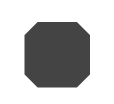
切角形状
效果图
代码
@Composable
fun APage() {
    Column(
        Modifier.fillMaxSize(), horizontalAlignment = Alignment.CenterHorizontally, verticalArrangement = Arrangement.Center) {
        //CutCornerShape
        Surface(shape = CutCornerShape(10.dp), color = Color.DarkGray, modifier = Modifier.width(50.dp).height(50.dp)) {}
    }
}
绝对切角形状
AbsoluteCutCornerShape其实CutCornerShape与一样都是实现切角形状的,但是AbsoluteCutCornerShape不会跟随屏幕方向改变角的位置(应该是用来在阿拉伯语言下设备变成了从右到左布局,在这种情况下保持切角的位置)
效果图
代码
@Composable
fun APage() {
    Column(
        Modifier.fillMaxSize(), horizontalAlignment = Alignment.CenterHorizontally, verticalArrangement = Arrangement.Center) {
        //AbsoluteCutCornerShape
        Surface(shape = AbsoluteCutCornerShape(10.dp), color = Color.DarkGray, modifier = Modifier.width(50.dp).height(50.dp)) {}
    }
}
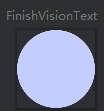
圆形
关键是CircleShape
效果图
代码
Card(
    shape = CircleShape,
    backgroundColor = COLOR_FFC3CEFF,
    modifier = Modifier.size(86.dp)
) {

}
自定义形状
GenericShape通过path绘制自己想要的形状
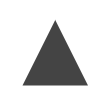
画个三角形
效果图
代码
@Composable
fun APage() {
    //GenericShape画个三角形
    val shape = GenericShape{size, layoutDirection ->
        moveTo(size.width/2,0f)
        lineTo(size.width,size.height)
        lineTo(0f,size.height)
        close()
    }
    Column(
        Modifier.fillMaxSize(), horizontalAlignment = Alignment.CenterHorizontally, verticalArrangement = Arrangement.Center) {
        Surface(shape = shape, color = Color.DarkGray, modifier = Modifier.width(50.dp).height(50.dp)) {}
    }
}
画个五角星
效果图
代码
@Composable
fun APage() {
    //GenericShape画个五角星
    val shape = GenericShape { size, layoutDirection ->
        val centerX = size.width / 2
        val centerY = size.height / 2
        val radius = size.width / 2
        val xPointList = mutableListOf<Float>()
        val yPointList = mutableListOf<Float>()
        for (i in 0..4) {
            val angle = 360 / 5 * i + 18
            val px = centerX + radius * cos(angle * Math.PI / 180).toFloat()
            val py = centerY - radius * sin(angle * Math.PI / 180).toFloat()
            xPointList.add(px)
            yPointList.add(py)
        }
        moveTo(xPointList[0], yPointList[0])
        lineTo(xPointList[2], yPointList[2])
        lineTo(xPointList[4], yPointList[4])
        lineTo(xPointList[1], yPointList[1])
        lineTo(xPointList[3], yPointList[3])
        close()
    }
    Column(Modifier.fillMaxSize(), horizontalAlignment = Alignment.CenterHorizontally, verticalArrangement = Arrangement.Center) {
        Surface(shape = shape, color = Color.DarkGray, modifier = Modifier.width(50.dp).height(50.dp)) {}
    }
}
end
本文来自博客园,作者:观心静 ,转载请注明原文链接:https://www.cnblogs.com/guanxinjing/p/17603252.html
本文版权归作者和博客园共有,欢迎转载,但必须给出原文链接,并保留此段声明,否则保留追究法律责任的权利。
来源:https://www.cnblogs.com/guanxinjing/p/17603252.html |



 發表於 2023-8-3 18:26:00