|
各位小伙伴们,大家好呀!我是疯狂老包。我精心打造的《疯狂AI智能体开发:100个实战案例, 从 入门到精通 》正在开发中!要是你对 AI 应用搭建满怀热忱,渴望深入学习其中的奥秘与技巧,那就赶紧动动手指,关注我们的公众号吧, 获取免费教程。
老包用扣子捏了一个辅助写作的智能体 名字是:
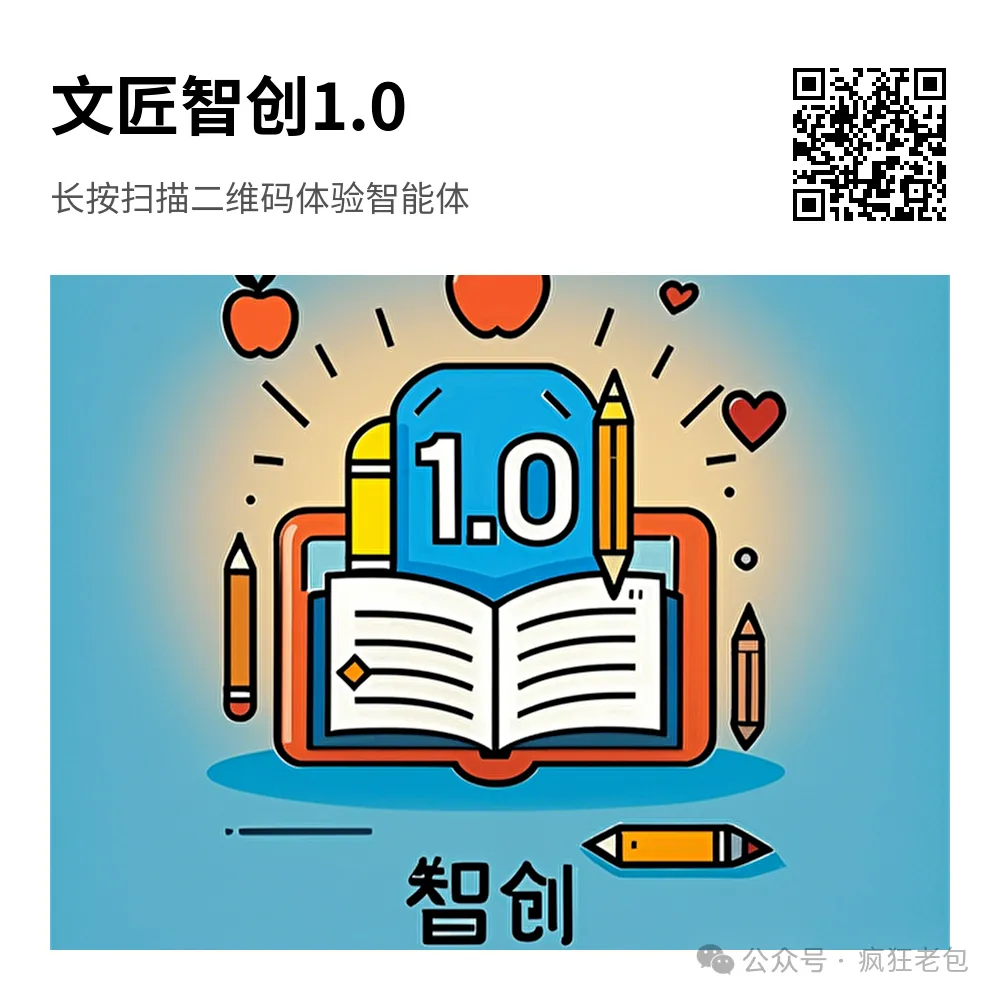
🔥 「文匠智创1.0」🔥
ingFang SC", miui, "Hiragino Sans GB", "Microsoft Yahei", sans-serif; font-size: 14px; font-style: normal; font-variant-ligatures: normal; font-variant-caps: normal; font-weight: 400; letter-spacing: 0.25px; orphans: 2; text-align: start; text-indent: 0; text-transform: none; widows: 2; word-spacing: 0; -webkit-text-stroke-width: 0px; white-space: pre-wrap; background-color: rgba(255, 255, 255, 1); text-decoration-thickness: initial; text-decoration-style: initial; text-decoration-color: initial; display: inline !important; float: none">说一下优势:
ingFang SC", miui, "Hiragino Sans GB", "Microsoft Yahei", sans-serif; font-size: 14px; font-style: normal; font-variant-ligatures: normal; font-variant-caps: normal; font-weight: 400; letter-spacing: 0.25px; orphans: 2; text-indent: 0; text-transform: none; widows: 2; word-spacing: 0; -webkit-text-stroke-width: 0px; white-space: pre-wrap; background-color: rgba(255, 255, 255, 1); text-decoration-thickness: initial; text-decoration-style: initial; text-decoration-color: initial; display: inline !important; float: none">创作高效便捷
ingFang SC", miui, "Hiragino Sans GB", "Microsoft Yahei", sans-serif; font-size: 14px; font-style: normal; font-variant-ligatures: normal; font-variant-caps: normal; font-weight: 400; letter-spacing: 0.25px; orphans: 2; text-indent: 0; text-transform: none; widows: 2; word-spacing: 0; -webkit-text-stroke-width: 0px; white-space: pre-wrap; background-color: rgba(255, 255, 255, 1); text-decoration-thickness: initial; text-decoration-style: initial; text-decoration-color: initial; display: inline !important; float: none">快速生成内容
ingFang SC", miui, "Hiragino Sans GB", "Microsoft Yahei", sans-serif; font-size: 14px; font-style: normal; font-variant-ligatures: normal; font-variant-caps: normal; font-weight: 400; letter-spacing: 0.25px; orphans: 2; text-indent: 0; text-transform: none; widows: 2; word-spacing: 0; -webkit-text-stroke-width: 0px; white-space: pre-wrap; background-color: rgba(255, 255, 255, 1); text-decoration-thickness: initial; text-decoration-style: initial; text-decoration-color: initial; display: inline !important; float: none">简化创作流程
ingFang SC", miui, "Hiragino Sans GB", "Microsoft Yahei", sans-serif; font-size: 14px; font-style: normal; font-variant-ligatures: normal; font-variant-caps: normal; font-weight: 400; letter-spacing: 0.25px; orphans: 2; text-indent: 0; text-transform: none; widows: 2; word-spacing: 0; -webkit-text-stroke-width: 0px; white-space: pre-wrap; background-color: rgba(255, 255, 255, 1); text-decoration-thickness: initial; text-decoration-style: initial; text-decoration-color: initial; display: inline !important; float: none">内容质量保障
ingFang SC", miui, "Hiragino Sans GB", "Microsoft Yahei", sans-serif; font-size: 14px; font-style: normal; font-variant-ligatures: normal; font-variant-caps: normal; font-weight: 400; letter-spacing: 0.25px; orphans: 2; text-indent: 0; text-transform: none; widows: 2; word-spacing: 0; -webkit-text-stroke-width: 0px; white-space: pre-wrap; background-color: rgba(255, 255, 255, 1); text-decoration-thickness: initial; text-decoration-style: initial; text-decoration-color: initial; display: inline !important; float: none">适用范围广泛
ingFang SC", miui, "Hiragino Sans GB", "Microsoft Yahei", sans-serif; font-size: 14px; font-style: normal; font-variant-ligatures: normal; font-variant-caps: normal; font-weight: 400; letter-spacing: 0.25px; orphans: 2; text-indent: 0; text-transform: none; widows: 2; word-spacing: 0; -webkit-text-stroke-width: 0px; white-space: pre-wrap; background-color: rgba(255, 255, 255, 1); text-decoration-thickness: initial; text-decoration-style: initial; text-decoration-color: initial; display: inline !important; float: none">个人创作助手
ingFang SC", miui, "Hiragino Sans GB", "Microsoft Yahei", sans-serif; font-size: 14px; font-style: normal; font-variant-ligatures: normal; font-variant-caps: normal; font-weight: 400; letter-spacing: 0.25px; orphans: 2; text-indent: 0; text-transform: none; widows: 2; word-spacing: 0; -webkit-text-stroke-width: 0px; white-space: pre-wrap; background-color: rgba(255, 255, 255, 1); text-decoration-thickness: initial; text-decoration-style: initial; text-decoration-color: initial; display: inline !important; float: none">商业应用价值高
ingFang SC", miui, "Hiragino Sans GB", "Microsoft Yahei", sans-serif; font-size: 14px; font-style: normal; font-variant-ligatures: normal; font-variant-caps: normal; font-weight: 400; letter-spacing: 0.25px; orphans: 2; text-align: start; text-indent: 0; text-transform: none; widows: 2; word-spacing: 0; -webkit-text-stroke-width: 0px; white-space: pre-wrap; background-color: rgba(255, 255, 255, 1); text-decoration-thickness: initial; text-decoration-style: initial; text-decoration-color: initial; display: inline !important; float: none">「文匠智创1.0」智能体
ingFang SC", miui, "Hiragino Sans GB", "Microsoft Yahei", sans-serif; font-size: 14px; font-style: normal; font-variant-ligatures: normal; font-variant-caps: normal; font-weight: 400; letter-spacing: 0.25px; orphans: 2; text-align: start; text-indent: 0; text-transform: none; widows: 2; word-spacing: 0; -webkit-text-stroke-width: 0px; white-space: pre-wrap; background-color: rgba(255, 255, 255, 1); text-decoration-thickness: initial; text-decoration-style: initial; text-decoration-color: initial; display: inline !important; float: none">辅助写作教学新利器
老师的好帮手
文匠 智 创 1.0 能够快速生成相应的学习资料
帮助学生更好地理解和掌握所学知识
提高学习效果
是不是有点心动了? 下面老包手把手教大家如何制作~
先来看一下生成的效果图:
话不多说,搬起板凳,赶紧来学 ~
设计目标:旨在设计并实现一个名为 「文匠智创1.0」 的智能体,对于个人创作者而言,无论是写作爱好者、自由撰稿人还是学生等,文匠智创 1.0 都能帮助他们在写作过程中激发灵感、提高效率、提升作品质量,更好地表达自己的想法和观点在新闻传播、广告推广、市场推广等多个商业领域也有广泛的应用价值。例如在新闻媒体界可迅速编制稿件,确保资讯的及时准确发布;在广告与营销领域,能助力企业迅速制作吸引人的宣传资料及广告文案,有效提升宣传成效与销售指标。
整个智能体涉及1个工作流: 核心知识点: 提示词编写、工作流设计、大模型节点、代码节点、字数统计
一、新建工作流
1、登录Coze平台
官网:https://www.coze.cn/
注册账号并登录
2、创建智能体 输入你的智能体名称和功能介绍,然后点击图标旁边的“生成图标”按钮,系统会自动为你生成一个头像。
3、创建工作流
工作流概览
工作流搞得多复杂,还有咱们得用到啥资源,这都得看你的业务需求有多复杂。要是你的业务逻辑挺简单的,那可能只需要一个工作流,加上几个基本的节点就能搞定。但如果你处理的业务逻辑特别复杂,那可能就得用到好几个工作流,才能把事情办妥。
设置工作流名称和工作流描述
01
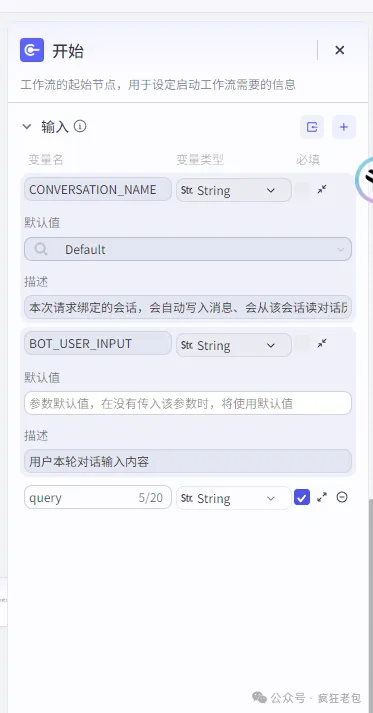
开始节点
代码移除链接
async function main({ params }) { // 使用正则表达式移除链接 const cleanedInput = params.input.replace(/https?:\/\/[^\s]+/g, ''); // 提取所有非链接的文本段 const regex = /[^\"]+?(?=(\\nlink|$))/g; const matches = cleanedInput.match(regex) || []; // 过滤掉不包含实际内容的段落 const meaningfulSegments = matches.filter(segment => segment.trim().length > 20); // 组织这些文本,并为每个段落添加序号 const numberedContent = meaningfulSegments.map((segment, index) => `(${index + 1}) ${segment.trim()}`).join(' '); // 返回提取的内容 return { content: numberedContent }; }
解释一下:
这段代码是一个异步函数 main,它的目的是处理文本,去除其中的网址链接,并提取有意义的文本段落,最后给这些段落编号。
-
去除链接:首先,我们用一个正则表达式把输入文本中的所有网址链接去掉。这个正则表达式会匹配以 "http://" 或 "https://" 开头,后面跟着任何非空格字符的字符串,并将它们替换为空,也就是把网址删掉。
-
提取文本段落:然后,我们用另一个正则表达式来找出所有不是链接的文本段落。这个正则表达式会匹配任何不是引号内的文本,直到遇到 "link" 这个词或者文本结束。
-
过滤空段落:接下来,我们会过滤掉那些没有实际内容的段落,也就是那些去掉空格后长度小于或等于20个字符的段落。
-
给段落编号:对于剩下的有意义的段落,我们会为它们添加一个序号。每个段落前面都会加上一个括号,里面是段落的序号,后面跟着段落的内容。
-
返回结果:最后,我们会返回一个新的对象,里面包含了编号后的文本内容。
搜索插件节点
利用必应插件搜索内容
02
大模型导图节点
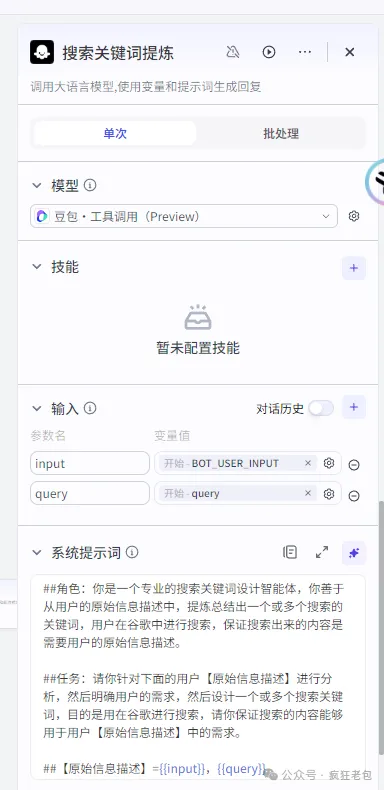
大模型节点就像是智能体的大脑,它能连接到那些特别厉害的语言模型,这些模型能听懂人话,还能根据你说的内容给出回答。这玩意儿在写文章、总结文本、把文章写得更长这些活儿上特别有用。
这个节点全靠那些大语言模型的聪明才智,它们能搞定很多复杂的语言处理任务。你可以根据你要做的事情,挑一个合适的模型,然后设置一些提示词,告诉模型你想要它怎么回答,就像给它一个角色设定一样。
设置提示词 模型作用是进行人设和回复逻辑设计 设置文本大纲 设置创作要求
这里的提示内容,大家可以根据自己的需求写,也可以在我的「团队空间」里进行查看。(团队空间加入方法请见文章结尾)
03
拆分代码
代码可以留言获取
这里的代码,大家可以根据自己的需求写,或者用下面AI写,也可以在我的 「团队空间」 里进行查看。 (团队空间加入方法请见文章结尾)
04
输出节点
想象一下,你在排队等一个很长的队伍,如果啥都不告诉你,你可能等一会儿就不耐烦了,甚至可能直接走人。工作流也是这样,如果它要处理的事情很多,需要花很长时间,我们就可以在这个过程中加一些“提示牌”。
这些“提示牌”就是输出节点,它们会在工作流进行的时候,时不时地告诉用户:“嘿,别急,事情正在办呢,稍微等一下哈。”这样用户就知道,哦,事情还在处理中,不是卡住了或者没人管了。
05
输出节点
输出变量设置:output/z5
最后加个字数统计代码
async function main({ params }: { params: { input1: string, input2: string, input3: string, input4: string, input5: string } }): Promise<{ output: number }> { const { input1, input2, input3, input4, input5 } = params; const combinedInput = input1 + input2 + input3 + input4 + input5; const chineseCharacters = combinedInput.match(/[\u4e00-\u9fa5]/g) || []; const totalChineseCharacters = chineseCharacters.length; const output = totalChineseCharacters; return { output: output }; }
06
结束节点
结束节点就像是工作流的最后一个站点,它负责把工作流完成后的结果告诉用户。可以想象成,你让智能体去跑腿办事,结束节点就是它回来的时候,告诉你“事情办妥了,这是你要的东西”。
输出:总字数{{output}}
二、创建智能体
1、编排人设和回复逻辑
2、绑定数据 引入上面搭建好的工作流
3、设置开场白
开场白就像是你第一次见到新朋友时的自我介绍,它帮助对方了解 你是谁、你能做什么,以及他们该如何和你交流 。对于智能体来说,开场白就是它第一次和用户打招呼时说的话,目的是让用户知道智能体能提供哪些帮助,以及用户应该如何使用它。
4、设置快捷命令
可以设置一个提示 方便用户输入
快捷指令就像是聊天框上面的小助手按钮,你设置好之后,用户就能直接点一下这个按钮,快速开始咱们之前设定好的聊天话题。
三、发布智能体
1、选择发布平台
根据自己需求发布就行了
四、使用演示
1、体验
点击扣子官网 :https://www.coze.cn/store/bot?utm_source=gzh
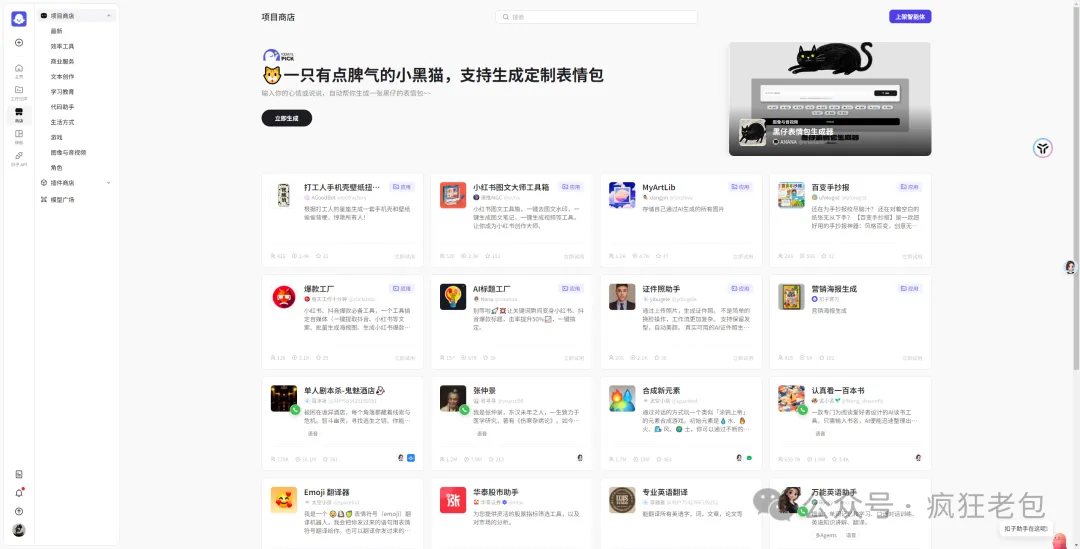
直接在扣子商店搜索:
第一个就是哦
可以愉快的玩耍了👍~
好了,到这里搭建「文匠智创1.0」智能体 的教程就讲完了,大家快动手试试吧 ~ 有不懂的随时留言咨询或者进群交流哈
「文匠智创1.0」 智能体已加入到 「疯狂老包团队空间」 ,已经加入的同学可以进行学习使用了, 还没加入的同学 公众号回复"加入空间" 或 加我下方微信获取详情。
❤️ 进入空间后,可以自由复制学习和使用所有智能体( 包括工作流+图像流+所有提示词代码等)。
🔥文匠智创1.0 体验地址 🔥
📢 本应用的全部工作流和配置已加入我的团队空间,
如果想学习的同学可以加入我的知识星球进行学习~
可以直接复刻哦!
🧑🚀 下期智能体实战项目更精彩,如果想和我一起学习,请关注我,不要错过更多课程噢~
编写教程免费领:AI 教程,AI智能体基础文档非常详细,特别适合新手!
🎯 100个实战案例现已开发【27/100 】
001、AI日报
002、影典佳句
003、女友雪花
004、签名大师
005、一键神绘
006、疯狂简笔画
007、疯狂背单词
008、智绘清晰
009、Q版三国
010、一键抠图
011、疯狂海报设计
012、短视频文案神器
013、绘本故事在线听
014、小学语文王老师
015、小学数学张老师
016、思维导图一键生成器
017、AI微信机器人
018、芷芷-产品人群分析专家
019、叮叮- IP 定位策略规划
020、娜娜-抖音文案提取专家
021、小灵-主题原创+风格仿写
022、小璐-爆款跨行改写师
023、Monika-小红书爆文撰写
024、金金-5s钩子开头设计
025、大姚-爆款结构提取师
026、智能体起名大师
027、文匠智创1.0
点击序号查看详情
🎯 往期精选🔥🔥🔥
大家好,我是疯狂老包。专注于智能体开发与教学,《100个扣子实战案例持续更新中》。作者:疯狂老包,转载请注明原文链接:https://www.cnblogs.com/laobao1756435/p/18636916
来源:https://www.cnblogs.com/laobao1756435/p/18636916 |



 發表於 2024-12-28 10:47:00