|
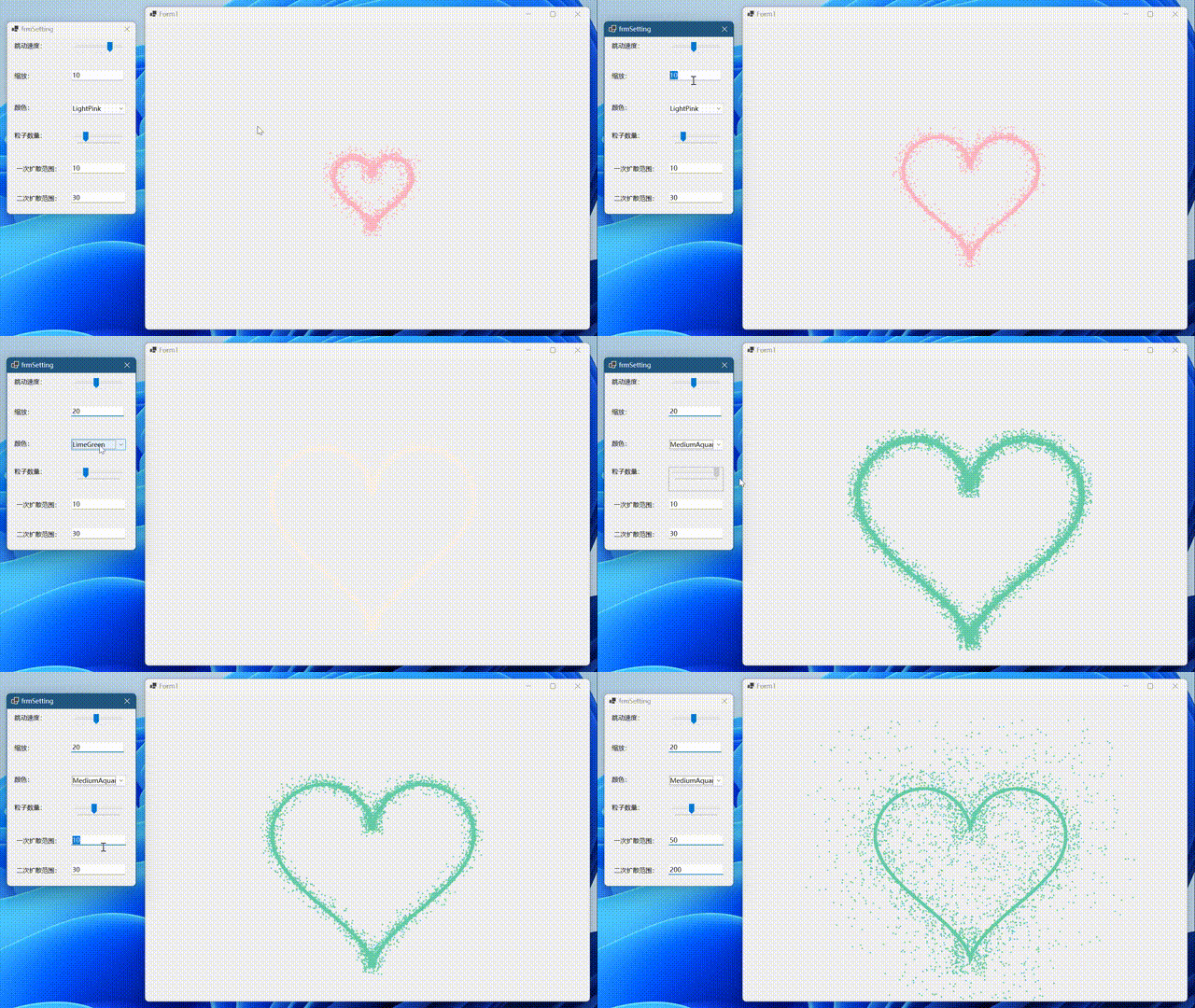
最近听说什么国产神剧的期中考试画心形题很火,打算跟风用C#复刻一下
先看看效果:
话不多说直接上代码
        public Form1()
        {
            DoubleBuffered = true;  //首先窗体记得设置双缓冲
            SetStyle(ControlStyles.ResizeRedraw | ControlStyles.OptimizedDoubleBuffer | ControlStyles.AllPaintingInWmPaint, true);
            InitializeComponent();
        }
        /// <summary>
        /// 是否反向
        /// </summary>
        private bool goBack = false;
        /// <summary>
        /// 当前跳动动画缩放倍率
        /// </summary>
        private int iZoom = 10;
        /// <summary>
        /// 跳动速度
        /// </summary>
        private int Speed { get; set; } = 8;
        /// <summary>
        /// 绘制笔刷颜色
        /// </summary>
        private Brush Color { get; set; } = Brushes.LightPink;
        /// <summary>
        /// 中心缩放倍率
        /// </summary>
        private int Zoom { get; set; } = 10;
        /// <summary>
        /// 点数量(包括心形边线和粒子)
        /// </summary>
        private int Particle { get; set; } = 20;
        /// <summary>
        /// 一次扩散范围
        /// </summary>
        private int FirstDiffusion { get; set; } = 10;
        /// <summary>
        /// 二次扩散范围
        /// </summary>
        private int SecondDiffusion { get; set; } = 30;

        protected override void OnPaint(PaintEventArgs e)
        {
            base.OnPaint(e);
            iZoom += goBack ? -1 : 1;
            if (iZoom >= (Zoom + 2) || iZoom <= (Zoom - 3))
                goBack = !goBack;
            Bitmap bmp = new Bitmap(Width, Height);
            Graphics g = Graphics.FromImage(bmp);  //如果想看到绘制的过程可以使用 e.Graphics 直接绘制在窗体上而不是绘制在图片中再替换背景
            Random random = new Random();
            for (int i = 0; i < Particle * 100; i++)
            {
                double t = random.NextDouble() * 2 * Math.PI;
                double x = 16 * (Math.Pow(Math.Sin(t), 3));  //心形曲线函数X
                double y = -(13 * Math.Cos(t) - 5 * Math.Cos(2 * t) - 2 * Math.Cos(3 * t) - Math.Cos(4 * t));  //心形曲线函数Y
                x *= iZoom;
                y *= iZoom;
                x += Width / 2;
                y += Height / 2;
                g.FillEllipse(Color, new Rectangle((int)x, (int)y, 10, 10));  //在随机到的心形函数路径上添加点
                if (i % 2 == 0)  //控制扩散点的数量
                {
                    Random random2 = new Random();
                    int add1 = random2.Next(-FirstDiffusion, FirstDiffusion);
                    int add2 = random2.Next(-FirstDiffusion, FirstDiffusion);
                    g.FillEllipse(Color, new Rectangle((int)x + add1, (int)y + add2, 5, 5));  //一次扩散的点
                    g.FillEllipse(Color, new Rectangle((int)x + add1, (int)y + add2, 5, 5));
                }
                if (i % 3 == 0)
                {
                    Random random2 = new Random();
                    int add1 = random2.Next(-SecondDiffusion, SecondDiffusion);
                    int add2 = random2.Next(-SecondDiffusion, SecondDiffusion);
                    g.FillEllipse(Color, new Rectangle((int)x + add1, (int)y + add2, 5, 5));  //二次扩散的点
                    g.FillEllipse(Color, new Rectangle((int)x + add1, (int)y + add2, 5, 5));
                }
            }
            BackgroundImage = bmp;
            Thread.Sleep((10 - Speed) * 10);
        }
最后添加一个设置界面,使得功能多样化一点:
源码:
附件
来源:https://www.cnblogs.com/Alex1911/p/16875349.html |



 發表於 2022-11-9 22:17:00