|
先按照这个搭建 使用Visual Studio Code搭建PHP调试环境
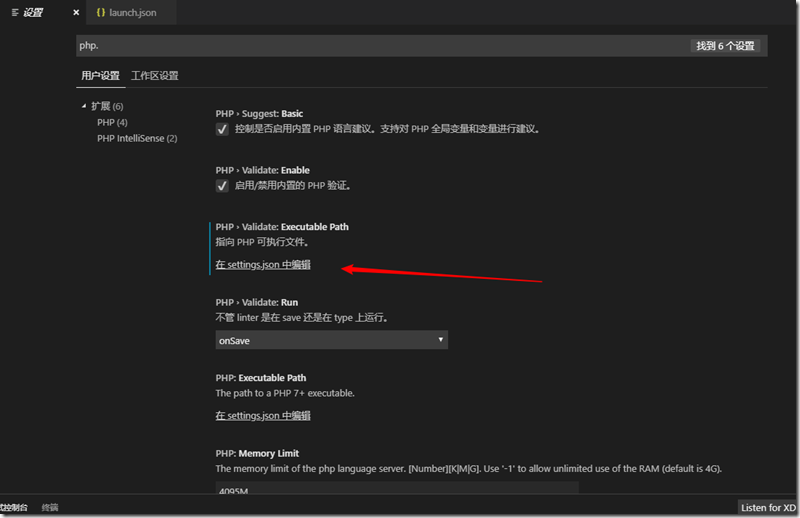
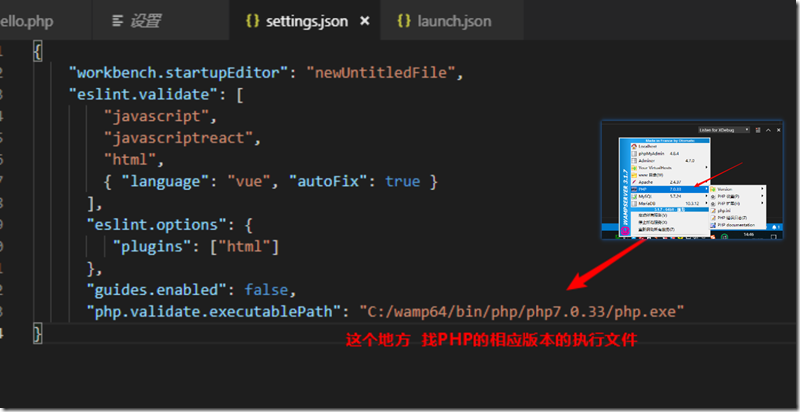
要注意的几个点 上文中的4.2. 配置Visual Studio Code 指定php的路径
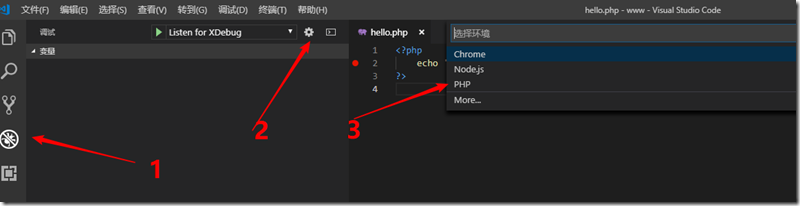
配置 PHP Debug 配置完成后 文件夹下后有个 .vscode 文件夹 下有个 launch.json 内容如下 { // 使用 IntelliSense 了解相关属性。 // 悬停以查看现有属性的描述。 // 欲了解更多信息,请访问: https://go.microsoft.com/fwlink/?linkid=830387 "version": "0.2.0", "configurations": [ { "name": "Listen for XDebug", "type": "php", "request": "launch", "port": 9000 }, { "name": "Launch currently open script", "type": "php", "request": "launch", "program": "${file}", "cwd": "${fileDirname}", "port": 9000 } ] }
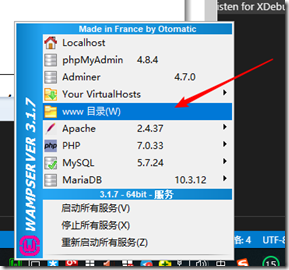
特别说明 PHP Debug必须通过打开文件夹中的文件才能调试必须要打开www目录 把你要调试的代码放在这个目录下
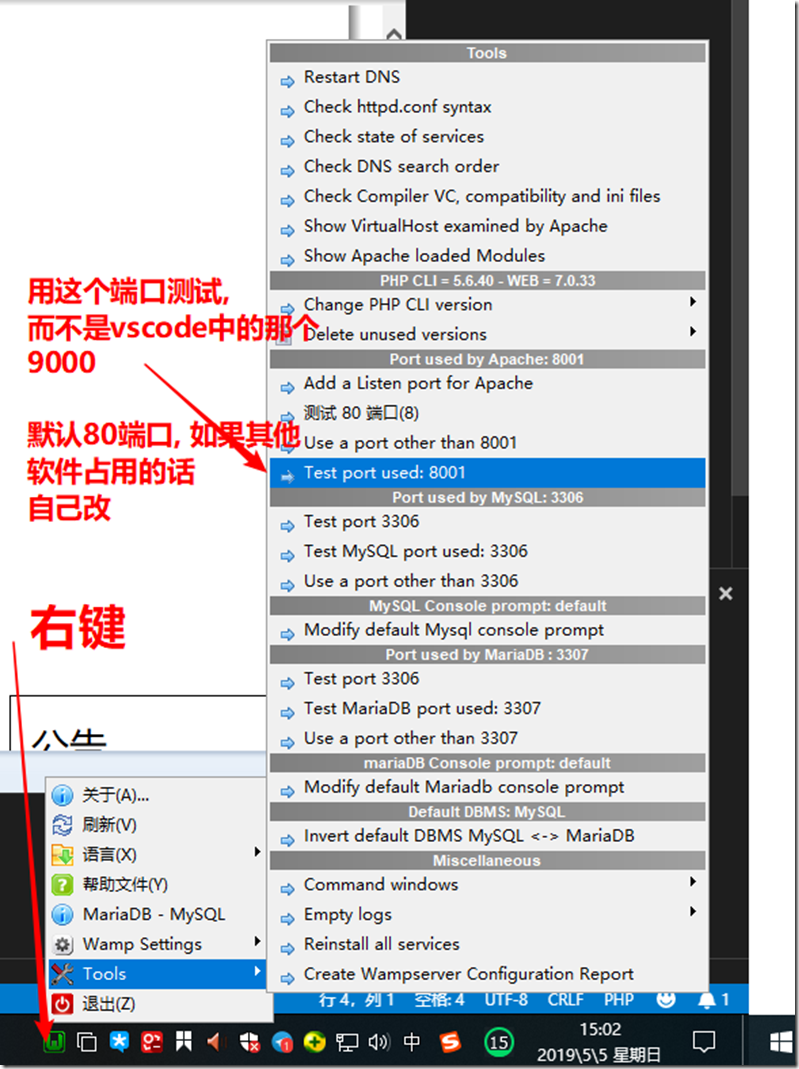
端口要用WAMP给定的 而不是vscode的launch.json中的9000
打断点调试
来源:https://www.cnblogs.com/xtxtx/p/10815440.html |



 發表於 2019-5-5 18:26:00