|
此博客链接:https://www.cnblogs.com/ping2yingshi/p/13340369.html
通过Get方法获取php文件
通过Get方法给php参数,读取php文件
举例
在html中给金字塔层数,读取php文件中的金字塔层数
要求
给不同的参数,使金字塔输出不同的层数
html代码
通过标签跳转到php文件地址处,给Get中的num数字赋值,读取php代码。
<!DOCTYPE html>
<html>
<head>
    <meta charset="UTF-8">
    <meta name="viewport" content="width=device-width, initial-scale=1.0">
    <title>Demo</title>
</head>
<body>
    <p><a href="金字塔.php?num=1"   >这是一个php文件链接</a></p>
    <p><a href="金字塔.php?num=2"   >这是一个php文件链接</a></p>
    <p><a href="金字塔.php?num=3"   >这是一个php文件链接</a></p>
    <p><a href="金字塔.php?num=4"   >这是一个php文件链接</a></p>
    <p><a href="金字塔.php?num=5"   >这是一个php文件链接</a></p>
    <script type="text/javascript" src="金字塔.php?num=1"></script> -->
</body>
</html>
php文件代码
<?php
    //$num: 金字塔的层数
    $num = $_GET["num"];
    for($i = 0; $i < $num; $i++)
    {
        for($j = 0; $j <= $i; $j++)
        {
            echo " * ";
        }
        echo "<br>";
    }

?>
结果
会显示五个链接,每个链接中给的num不同,显示的金字塔的层数也不同。
点击第二个链接,金字塔显示2层。
通过 get接口读取php
举例1
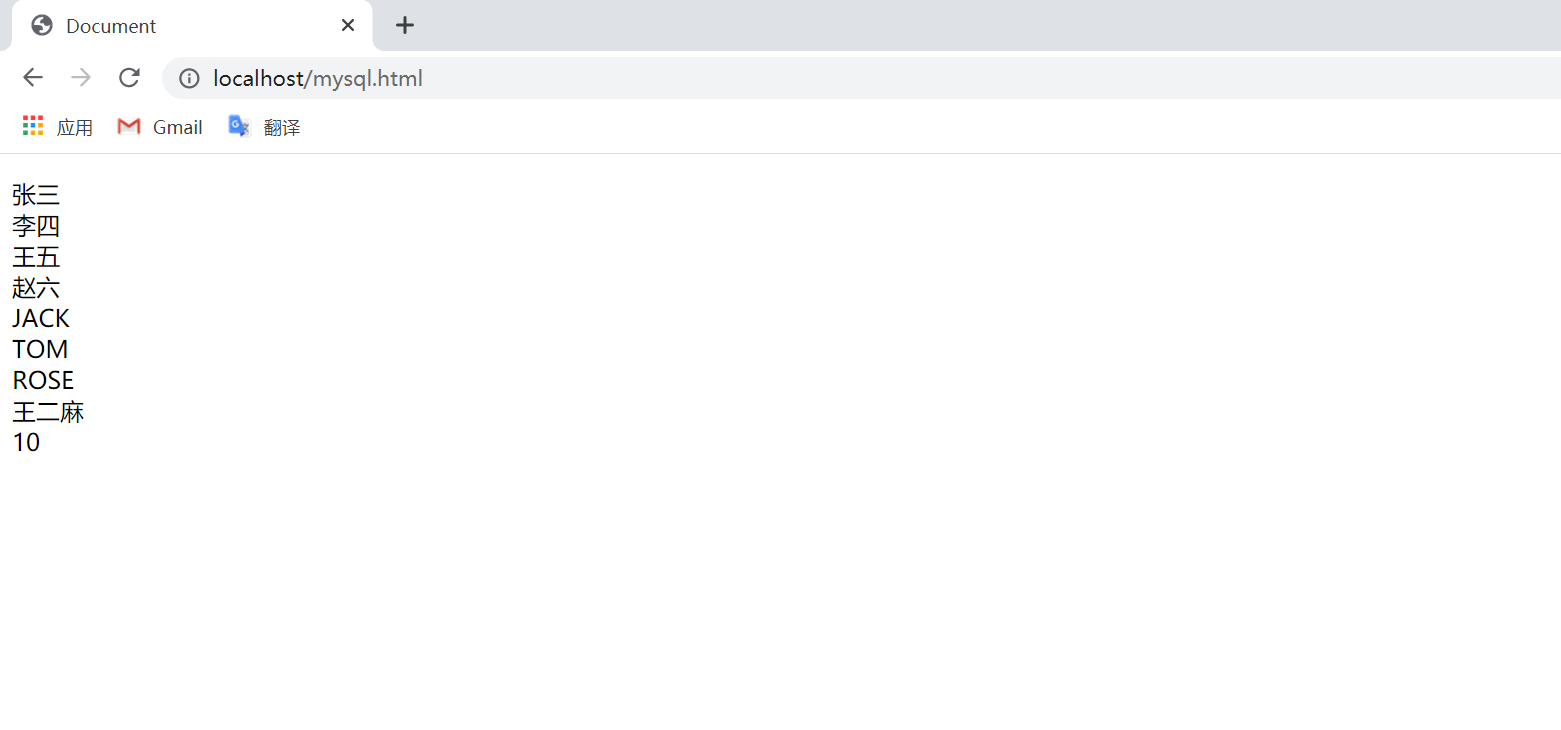
html调用php文件数据库中的内容
要求
每隔10秒读取数据库中的内容一次
html内容
1.使用setInterval(参数1,参数2)计时器,使程序每隔10秒读取一次php文件
备注:参数是一个函数,参数2是定义的计时时间。
2.使用jquery获取php
$("#myID").load("./phpMysql.php");
完整代码如下
<!DOCTYPE html>
<html lang="en">
<head>
    <meta charset="UTF-8">
    <meta name="viewport" content="width=device-width, initial-scale=1.0">
    <title>Document</title>
</head>
<body>
    <script src="http://apps.bdimg.com/libs/jquery/1.6.4/jquery.min.js"></script>//导入
    <p>
        <div id="myID"></div>
        <span id="count"></span>
        <script>
           var count = 0
          var countDom = document.getElementById('count');
          setInterval(function(){updateTime()},1000)
          function updateTime()//判断是否到达10秒
          {
            if(count>=10){
           $("#myID").load("./phpMysql.php");
               count=0;
            }else{
              countDom.innerText  = ++count
            }
          }
        </script>
      </p>
  </body>

</html>
php文件
<?php
$mysql_server_name = 'localhost'; //改成自己的mysql数据库服务器
$mysql_username = 'root'; //改成自己的mysql数据库用户名
$mysql_password = 'root'; //改成自己的mysql数据库密码
$mysql_database = 'mysql'; //改成自己的mysql数据库名
//创建连接
$conn=mysqli_connect($mysql_server_name, $mysql_username, $mysql_password, $mysql_database);
//连接数据库错误提示
if (mysqli_connect_errno($conn)) {
    die("连接 MySQL 失败: " . mysqli_connect_error());
}
//查询代码
$sql = "select * from phpMysql";
$query = mysqli_query($conn,$sql);
while($row = mysqli_fetch_array($query)){
    echo $row['name'];
    echo "<br />";
}
//关闭MySQL数据库连接
mysqli_close($conn);
?>
结果
举例2
通过html读取php中的音频
要求
在html中获取php返回的json数据
html内容
1.使用ajax get请求网络连接,判断网络连接状态readyState == 4 ,表示成功返回数据(这里是模板,用就可以了)
        // get请求
        function ajaxGet({ url, params, success, fail }) {
            var params = params || {}
            var xhr = new XMLHttpRequest()
            xhr.onreadystatechange = function () {
                if (xhr.readyState == 4) {
                    if (xhr.status == 200) { //返回状态码200成功
                        success && success(xhr.response) //成功回调
                    } else {
                        fail && fail(xhr.response) //失败回调
                    }
                }
            };
            xhr.onerror = function (err) {
                fail && fail(err) //网络出错回调
            }
            xhr.open('get', url + '?' + toQuery(params)) //建立get请求并传递参数
            xhr.send() //发送请求
        }
2.获取query参数
获取地址栏中query字符串并转码后返回js对象
         // 获取query参数
        function getQueryString() {
            var url = location.search; //获取url中"?"符后的字串
            var query = {};
            if (url.indexOf("?") != -1) {
                var strs = url.substr(1);
                strs = strs.split("&");
                var length = strs.length
                var temp
                for (var i = 0; i < length; i++) {
                    temp = strs.split("=")
                    query[temp[0]] = decodeURIComponent(temp[1]);
                }
            }
            return query;
        }
3.js对象转query参数
将js对象转为“&”分割的键值对,并对值进行转码后返回query字符串
        // 对象转query参数
        function toQuery(obj) {
            obj = obj || {}
            var s = []
            for (var key in obj) {
                s.push([key, encodeURIComponent(obj[key])].join('='))
            }
            return s.join('&')
        }
出来混总是要还的
来源:https://www.cnblogs.com/ping2yingshi/p/13340369.html |



 發表於 2020-7-19 16:59:00