前言
公司一个网站项目有国外的用户给我们发邮件希望能用paypal支付,于是交给了我,我们这个项目两年前是有对接paypal通道的,但是一直没有开放,测试测了并不能完成付款流程。
看paypal官方是最近有出一个新的sdk,老的应该不在支持更新了,于是打算用新的SDK重新对接,新的github地址:https://github.com/paypal/Checkout-PHP-SDK/。
这个项目使用的是thinkphp5框架,但是其他框架使用方法也都差不多。
本文只是随笔记录,如果能帮到其他朋友最好,如果有哪里错误或者有疑问的可以在评论区指出,我看到会及时回复的!!!
准备
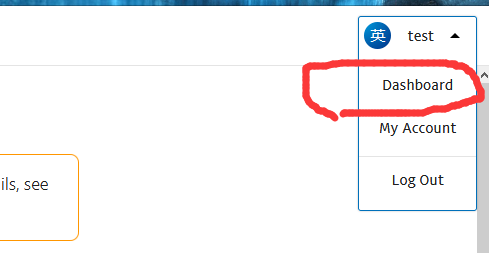
测试账户登录https://developer.paypal.com开发者中心
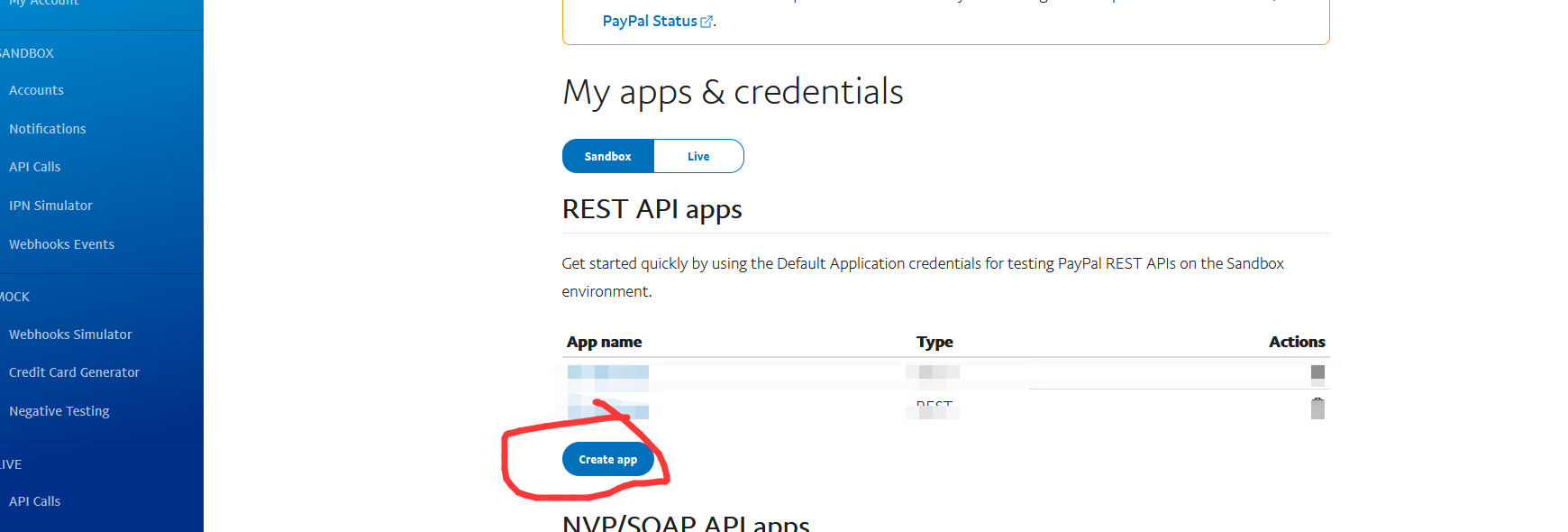
点开并创建新的App,注意这里分sanbox沙盒环境和live环境,沙盒环境可以创建测试付款和收款账户,live是正式环境的。
左侧account可以会有默认的商家账户和普通用户,可以用来沙盒环境测试。
遇到的坑
沙盒环境下用户能扣款,也能收到通知,但是商家账户没有收款记录,发邮件给paypal,说是他们帮我确认下收款邮箱了,然后再试就可以了。
正式环境下国内大陆的paypal账户不能给国内大陆的收款账户付款,但是用visa等信用卡可以选择香港地区进行付款
对接流程
composer.json添加“paypal/Checkout-PHP-SDK”之后执行 composer update paypal/Checkout-PHP-SDK 记得要带包名,不然所有的包全都更新到最新版了
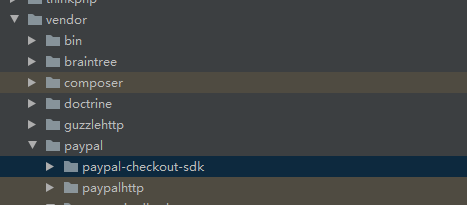
更新好之后会发现vendor目录多了两个包
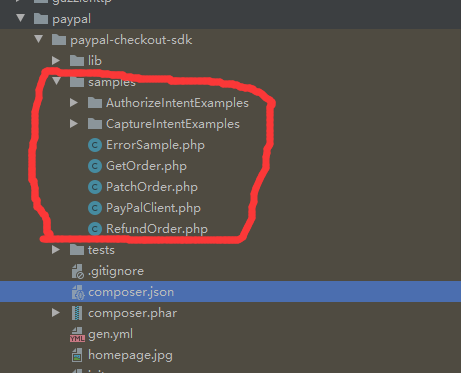
并且有写好的demo
我们目前需要使用的是发起订单,订单扣款,以及订单退款。
发起订单
case 'paypal':
                    if(!isset($Config['app_id']) || !isset($Config['app_secret'])){
                        throw new \think\Exception('paypal配置错误');
                    }

                    $request = new OrdersCreateRequest();
                    $request->prefer('return=representation');

                    $returnUrl = isset($Config['return_url']) ? $Config['return_url'] : 'https://xxx.com/pay/callback/paypal?act=success';    //成功跳转地址
                    $cancelUrl = isset($Config['cancel_url']) ? $Config['cancel_url'] : 'https://xxx.com/pay/callback/paypal?act=cancel';    //取消跳转地址

                    $request->body = array(
                        'intent' => 'CAPTURE',
                        'application_context' =>
                            array(
                                'return_url' => $returnUrl,
                                'cancel_url' => $cancelUrl
                            ),
                        'purchase_units' =>
                            array(
                                0 =>
                                    array(
                                        'amount' =>
                                            array(
                                                'currency_code' => 'USD',    //币种-paypal文档有
                                                'value' => '0.01'  //金额
                                            )
                                    )
                            )
                    );
                    // 是否是沙盒模式
                    $envSet = $Config['use_sandbox'] ? 'PayPalCheckoutSdk\Core\SandboxEnvironment' : 'PayPalCheckoutSdk\Core\ProductionEnvironment';

                    try {
                        $environment = new $envSet($Config['app_id'], $Config['app_secret']);
                        $client = new PayPalHttpClient($environment);
                        $response = $client->execute($request);
                        $url = $response->result->links[1]->href;
                        return $url

                    } catch (HttpException $ex) {
                        throw $ex;
                        //echo $ex->statusCode;
                        //print_r($ex->getMessage());
                    }

                    break;
这里$Config变量是配置参数
这里return的url是需要前端跳转的paypal收银台,用户确认支付后会跳转(这里是同步跳转,异步回调需要ipn或者webhook,后面会提到)
捕获订单
用户支付完成跳转到我们这里并没有完成付款,只是给了授权而已,我们还要根据订单的状态来进行扣款操作。
跳转回来或者异步回调会有“token“参数,可以根据token查询当前的订单状态。
订单状态:
CREATED. The order was created with the specified context. 创建订单
SAVED. The order was saved and persisted. The order status continues to be in progress until a capture is made with final_capture = true for all purchase units within the order.APPROVED. The customer approved the payment through the PayPal wallet or another form of guest or unbranded payment. For example, a card, bank account, or so on. 已授权VOIDED. All purchase units in the order are voided.COMPLETED. The payment was authorized or the authorized payment was captured for the order.
public function capture($token){
        //1获取token 2 OrdersGetRequest判断token状态status  3.COMPLETED 则已完成 APPROVED 则已经批准 进入 captureOrder 判断返回结果COMPLETED 则已完成 其他则打印log
        try {
            //client
            $Config = \think\Config::get('paypal');
            $envSet = $Config['use_sandbox'] ? 'PayPalCheckoutSdk\Core\SandboxEnvironment' : 'PayPalCheckoutSdk\Core\ProductionEnvironment';
            $environment = new $envSet($Config['app_id'], $Config['app_secret']);
            $client = new PayPalHttpClient($environment);

            //先判断订单当前状态-防止订单已经是已完成状态,再次扣款
            $request = new OrdersGetRequest($token);
            $response = $client->execute($request);
            if(!isset($response->result->status))
                throw new HttpException(__CLASS__ .'参数未获取到,token:'.$token);
            $status = $response->result->status;
            switch ($status){
                case 'COMPLETED':       //订单已经完成
                    //
                    break;
                case 'APPROVED':        //获取支付金额
                    $captureRequest = new OrdersCaptureRequest($token);
                    $captureRequest->prefer('return=minimal');     //简洁参数-获取更多参数用return=representation
                    $captureResponse = $client->execute($captureRequest);
                    //返回状态不是已完成
                    if($captureResponse->result->status != 'COMPLETED')
                        throw new HttpException(__CLASS__ .'captureOrder 失败,token:'.$token.' status:'.$captureResponse->result->status);
                    break;
                default:        //其他
                    throw new HttpException(__CLASS__ .'参数未知,token:'.$token.' status:'.$status);
                    break;
            }
            //订单支付完成
            return true;
        }catch (HttpException $ex) {
            Log::write($ex->getMessage());
            return false;
        }
    }
订单退款
        $request = new CapturesRefundRequest($token);
        $Config = \think\Config::get('paypal');
        $envSet = $Config['use_sandbox'] ? 'PayPalCheckoutSdk\Core\SandboxEnvironment' : 'PayPalCheckoutSdk\Core\ProductionEnvironment';
        $environment = new $envSet($Config['app_id'], $Config['app_secret']);
        $client = new PayPalHttpClient($environment);

        $response = $client->execute($request);
退款流程应也是根据token来操作,但是我这边提示我“description":"You do not have permission to access or perform operations on this resource.”
https://stackoverflow.com/questions/54907374/paypal-refund-rest-api-v2-authorization-failed-due-to-insufficient-permissions 这里说是需要新建一个app_id才行,因为我们这个项目退款要经过财务,所以就没继续测试下去,有走完流程的朋友可以说一下。
付款回调
paypal应该是ipn和webhook,但是我看Stack Overflow上有人说ipn方式可能会废弃,所以我们采用了webhook方式
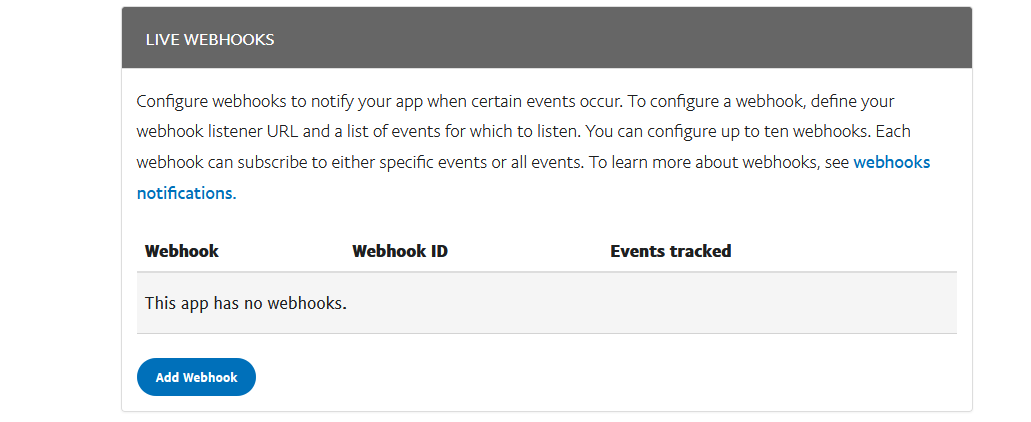
webhook需要点开对应的APP下去添加
这里可以选全部也可以选需要的事件
来源:https://www.cnblogs.com/xiaolele1/p/13607517.html |



 發表於 2020-9-3 14:51:00