|
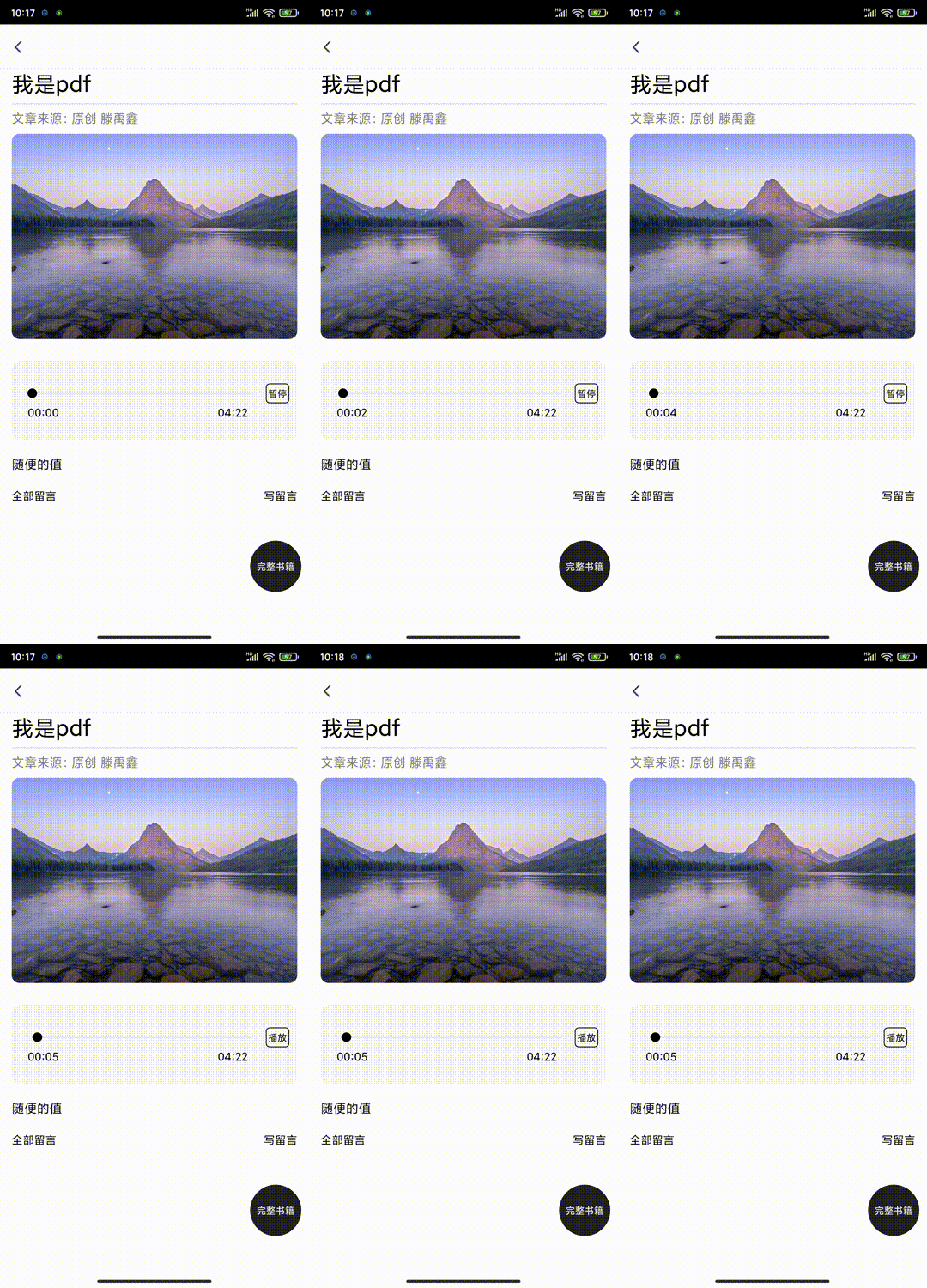
先放一个效果图:该图实现的效果,点击播放按钮,进度条随着时间移动,点击暂停按钮,进度条停止移动
第一步,用到什么库
1.zmxv/react-native-sound 播放声音的库
2.callstack/react-native-slider 进度条的库
第二步,准备播放音频
我测试时,是将mp3格式的声音放在本地的,根据官网描述,本地音频,放在 `android\app\src\main\res\raw`,注意要重新编译打包项目哦
import React from "react";
import { View, Text, StyleSheet } from 'react-native';


import Sound from "react-native-sound";
Sound.setCategory('Playback');

class SoundScreen extends React.Component {
   constructor(props) {
        super(props);
        this.state = {
            whoosh: null, //音频对象        }
    }
  componentDidMount() {
        //构建好音频对象
        this.build();
    }
  build(){
    let audioSrc = 'whoosh.mp3' //这个音频放在android\app\src\main\res\raw
    let whoosh = new Sound(audioSrc, Sound.MAIN_BUNDLE, (error) => {
            if (error) {
                alert('加载声音失败');
                return;
            }       this.setState({ whoosh: whoosh});
        });
  }
    playAudio=()=>{
    this.state.whoosh.play((success) => {
	if (success) {//播放完成后的逻辑在这里处理

	} else {
		console.log('playback failed due to audio decoding errors');
	}
    });
    }
    render(){
    return (
      <Text onPress={this.playAudio}>播放</Text>
    )
  }
}
第三步,添加Slider滑块组件
自己看文档添加吧,这里有个小问题,就是设置长度300,但是它左右两边有8个距离的空袭,我也没解决
第四步,mp3音频播放时间 和 Slider进度同步的问题
思路:Slider的最小值为0 ,最大值为1 ,之后通过定时器,获得当前播放时间 除以 总时长,这个值就是Slider的值
注意,将debug关掉,不然定时任务不准确
   //定时任务:监听当前播放时间
    listenAudio() {
        let that = this;
        let timer = setInterval(function () {
            that.state.whoosh.getCurrentTime(function (seconds) {
                let duration = that.state.duration;
                let temp = seconds / duration;//当前时间/总时间 = 播放进度比
                that.setState({ sliderValue: temp, })
            });
        }, 1000);
        //将定时器私有化
        this.setState({ Timer: timer });
    }
主要的内容都说完,注意清除定时器对象
来源:https://www.cnblogs.com/tengyuxin/p/15643615.html |



 發表於 2021-12-4 22:55:00